
Introduction
Running a plywood business is not just about selling sheets and generating invoices. Every day, dealers, wholesalers, retailers, and distributors have to manage product sizes, thicknesses, quantities, prices, GST, purchases, inventory, customer payments, and outstanding balances. With the right Plywood Billing Softwares, businesses can simplify these daily operations, improve billing accuracy, and keep their sales and inventory management organized.
This becomes even more challenging when the business handles different types of products such as plywood, MDF, laminates, veneers, flush doors, block boards, timber, and hardware. Keeping track of everything manually can take valuable time and make daily operations harder to control.
This is where the Best Plywood Billing Softwares can make a real difference.
A specialized billing solution can do much more than create invoices. It can help businesses manage GST billing, inventory, sales, purchases, customer accounts, payments, quotations, and business reports from one connected platform.
For plywood businesses, another important requirement is square-foot billing. Since plywood is commonly sold based on sheet dimensions and area, manually calculating the required square footage for every order can become repetitive and prone to calculation mistakes.
An integrated solution like RealKeeper is designed to address these requirements, providing Plywood Billing Softwares features that help businesses manage billing, inventory, sales, purchases, payments, and other daily operations more efficiently from a single platform.
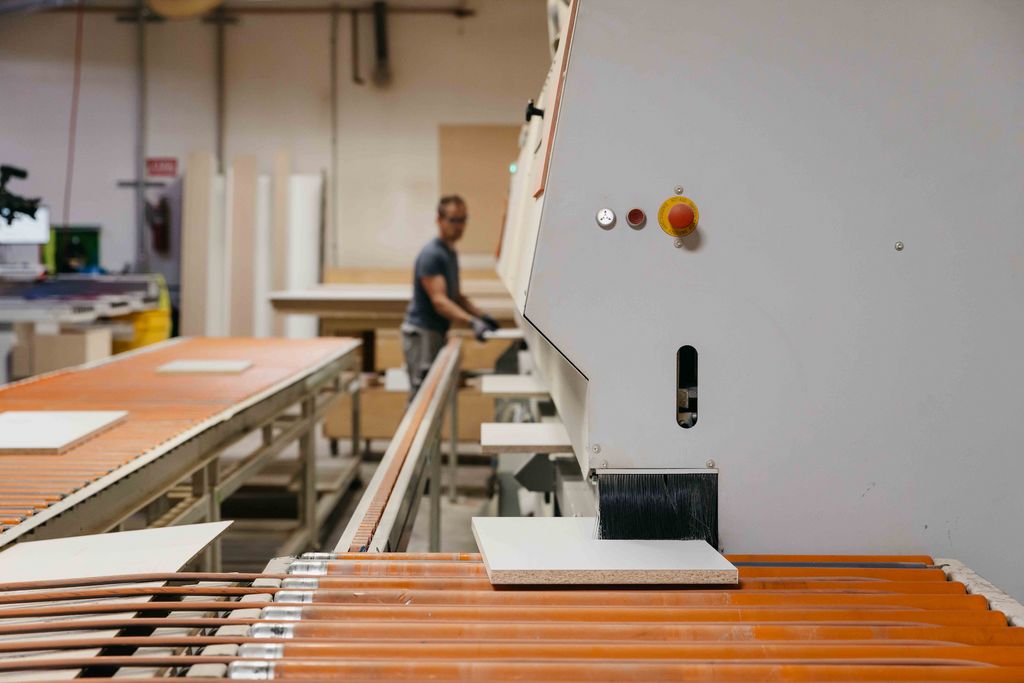
What Is Plywood Billing Softwares?
Plywood Billing Softwares are business management solutions designed to handle the specific billing, inventory, sales, purchase, and operational requirements of plywood and related interior-material businesses.
Unlike basic billing software, specialized Plywood Billing Softwares can support the way plywood businesses actually work by managing billing, inventory, sales, purchases, quotations, deliveries, payments, and customer records in one connected system.
It can help manage:
- GST invoices
- Sales and purchases
- Plywood inventory
- Size-wise stock
- Thickness-wise stock
- Sq.ft. billing
- Customer-specific pricing
- Discounts
- Quotations
- Delivery challans
- Payments
- Outstanding balances
- Accounting
- Business reports
The purpose is to bring these activities together so that businesses don’t have to maintain separate records for every process.
Why Do Plywood Businesses Need Specialized Billing Software?
A normal retail billing system may be sufficient for simple products.
Plywood businesses, however, often need to track more product attributes such as size, thickness, quantity, grade, pricing, and stock levels. This is where specialized Plywood Billing Softwares can provide a more suitable solution for managing plywood-related sales and inventory.
For example, the same plywood product can have different:
- Sizes
- Thicknesses
- Brands
- Grades
- Designs
- Units
- Warehouses or godowns
If these details are maintained manually, finding the exact available stock can become difficult.
Imagine a customer asking:
“Do you have 18 mm, 8 × 4 plywood available?”
The salesperson needs to know the exact stock before confirming the order.
A specialized system can make this information easier to manage and access.
1. Simplify GST Billing and Invoicing
GST billing is an important part of running a plywood business in India.
Preparing invoices manually involves entering product details, quantities, rates, discounts, and tax information correctly for every transaction. Plywood Billing Softwares can simplify this process by making GST invoicing faster, more accurate, and organized.
A good billing system can make daily billing operations much more efficient.
RealKeeper supports GST tax invoicing along with cash, credit, retail, and wholesale billing. It also supports customer-specific pricing, discounts, printed invoices, PDF invoices, WhatsApp invoices, and email invoices.
This allows businesses to spend less time preparing invoices and more time serving customers.
2. Make Sq.Ft. Billing Easier
One of the most important features for a plywood business is square-foot based billing. Specialized Plywood Billing Softwares can simplify this calculation by automatically calculating the required square footage based on the dimensions and quantity of plywood sheets.
Suppose a customer purchases plywood sheets measuring:
8 × 4 feet
The area of one sheet is:
8 × 4 = 32 Sq.Ft.
If the customer purchases 10 sheets:
32 × 10 = 320 Sq.Ft.
When these calculations are performed manually for multiple products and quantities, errors can happen.
RealKeeper supports sq.ft.-based plywood billing and can calculate the area using length × width × quantity, helping reduce repetitive manual calculations.
This is particularly useful for businesses handling different sheet sizes and quantities throughout the day.
3. Manage Size-Wise and Thickness-Wise Inventory
Inventory management is one of the biggest challenges for plywood businesses.
Having 500 sheets in stock isn’t enough information. Businesses also need to know the size, thickness, grade, quantity, value, and current availability of each product. Specialized Plywood Billing Softwares can help maintain detailed stock records and provide better visibility into inventory.
A business may need to know:
Which product?
Which brand?
What size?
What thickness?
Which grade?
Which warehouse?
RealKeeper allows plywood businesses to manage inventory using attributes such as product, brand, size, thickness, design, grade, unit of measurement, warehouse, and godown.
For example:
| Product | Size | Thickness | Stock |
|---|---|---|---|
| Plywood | 8 × 4 | 12 mm | 120 Sheets |
| Plywood | 8 × 4 | 18 mm | 85 Sheets |
| Plywood | 7 × 4 | 18 mm | 45 Sheets |
| MDF | 8 × 4 | 12 mm | 60 Sheets |
This level of detail can help sales teams check stock before confirming an order.
4. Manage Different Interior Materials
A plywood business may not sell plywood alone. It may also deal in laminates, veneers, MDF, block boards, hardware, adhesives, and other interior materials. Using Plywood Billing Softwares that can manage multiple product categories helps businesses maintain organized billing and inventory records across their entire product range.
Many businesses also deal in:
- MDF
- Laminates
- Veneers
- Flush doors
- Block boards
- Timber
- Hardware
- Other interior materials
Managing these products through separate registers can quickly become complicated.
A centralized system allows businesses to maintain product information and transactions within one platform.
This makes it easier to manage a wider product range without creating separate systems for every category. RealKeeper specifically lists these materials among the business types its plywood solution can support.
5. Connect Sales with Inventory
A sale directly affects stock.
When a customer purchases plywood, inventory needs to reflect that transaction. With Plywood Billing Softwares, sales and inventory can be connected, helping businesses keep stock records updated with every sale.
If sales and inventory are maintained separately, employees may need to update both records manually.
An integrated billing system can connect the two and create a simple flow:
Customer Order → Sales → Invoice → Inventory Update → Payment → Accounting
Such connected workflows can reduce repetitive data entry, improve stock accuracy, and give plywood businesses better visibility into their daily operations.
6. Manage Purchases and Suppliers
Plywood businesses also need strong control over purchasing.
When stock levels fall, businesses need to purchase the right products in the right sizes and quantities.
Purchase management can help businesses maintain records of:
- Suppliers
- Purchase invoices
- Purchased products
- Quantities
- Rates
- Payments
- Purchase history
When purchasing is connected with inventory and accounting, businesses can better understand how purchases affect stock and finances.
7. Track Customer Payments and Outstanding Amounts
Selling a product doesn’t always mean receiving payment immediately.
Many businesses sell on credit, making payment tracking an important part of daily operations.
A proper system can help businesses monitor:
- Invoice amounts
- Payments received
- Pending payments
- Customer balances
- Outstanding amounts
- Payment history
RealKeeper supports payment tracking and outstanding management, helping businesses maintain better visibility over customer accounts.
This can also help businesses follow up on pending payments more systematically.
8. Create Quotations and Delivery Documents
A plywood sale may involve more than just an invoice.
Customers may first ask for a quotation before confirming an order. After the order is finalized, the business may also need delivery-related documentation.
That’s why plywood businesses can benefit from Plywood Billing Softwares that support multiple stages of the sales process.
RealKeeper’s plywood solution includes quotations and delivery challans along with billing and sales management. This helps businesses manage different stages of a transaction more efficiently.
From initial enquiry to quotation, order confirmation, delivery, and final billing, an integrated system can create a smoother and more organized sales workflow.
9. Understand Business Performance Through Reports
Good business management requires more than simply recording transactions. With the right Plywood Billing Softwares, businesses can streamline billing, inventory, sales, purchases, customer management, payments, and reporting from a single platform.
Owners need to understand what those transactions mean.
Reports can help answer questions such as:
- How much did we sell?
- Which products are selling more?
- How much stock is available?
- Which customers have outstanding payments?
- What are our purchase levels?
- How is the business performing?
RealKeeper provides business and accounting reports, including more than eight accounting reports according to its plywood solution page.
Having this information organized can help business owners make decisions based on actual business data rather than assumptions.
Manual Plywood Billing vs Software-Based Billing
| Manual Billing | Plywood Billing Softwares |
|---|---|
| Repeated calculations | Faster calculations |
| Manual GST calculations | Organized GST invoicing |
| Stock records can be difficult to maintain | Structured inventory management |
| Size/thickness tracking can be complex | Size-wise & thickness-wise stock |
| Payment tracking through separate records | Centralized payment records |
| Reports take more time to prepare | Faster access to reports |
| Higher dependence on paperwork | Digital business records |
| Separate processes | Connected business workflow |
The right software doesn’t eliminate the need for proper business processes, but it can make those processes easier to manage.
What Should You Look for in the Best Plywood Billing Softwares?
Before choosing Plywood Billing Softwares, plywood business owners should look beyond basic invoice generation and consider features such as inventory management, GST billing, quotations, delivery challans, customer management, payment tracking, and reporting.
Sq.Ft. Billing
The system should support area-based calculations for plywood sheets and different sizes.
Size-Wise Stock
You should be able to identify stock according to dimensions.
Thickness-Wise Inventory
Different thicknesses should be easy to track separately.
GST Billing
The software should support GST invoicing and tax calculations.
Sales & Purchase Management
Sales and purchases should work together with inventory and accounts.
Payment Tracking
The system should help monitor received and outstanding payments.
Reports
Business owners should have access to useful financial and operational reports.
Easy-to-Use Interface
Your sales and billing team should be able to use the system without unnecessary complexity.
Why RealKeeper Can Be Useful for Plywood Businesses
RealKeeper is designed as more than a basic invoice-generation tool.
Its plywood solution brings together billing, inventory, accounting, sales, purchases, quotations, payments, outstanding management, and reports in one platform.
Businesses can manage:
GST Billing → Sales → Inventory → Purchase → Payments → Accounting → Reports
This connected approach can reduce the need to maintain separate records for each department.
RealKeeper also provides features such as stock history and ageing, stock valuation, automated alerts and reminders, lead management, payment reminders, transaction timelines, and integrations with Gmail and WhatsApp. These features make Plywood Billing Softwares more useful for managing not only billing but also day-to-day business operations.
For businesses that want to manage their plywood operations through a broader ERP environment, RealKeeper also positions itself as a cloud ERP with accounting, sales, purchase, inventory, customer/supplier management, and reporting capabilities.
Who Can Use Plywood Billing Softwares?
A specialized Plywood Billing Software can be useful for:
- Plywood dealers
- Plywood distributors
- Plywood wholesalers
- Retail plywood shops
- Laminate stores
- Timber businesses
- Hardware shops
- Interior material suppliers
Businesses dealing with multiple product categories and size-based inventory can particularly benefit from structured billing and stock management.
Final Thoughts
Managing a plywood business successfully requires more than keeping track of sales.
You need to know what is in stock, what has been sold, what has been purchased, which customers have outstanding payments, how GST billing is being handled, and how the business is performing overall.
This is why choosing the Best Plywood Billing Softwares should be about more than generating invoices.
A useful solution should connect billing, sq.ft. calculations, inventory, sales, purchases, payments, accounting, and reporting so that everyday operations become easier to manage.
For plywood, MDF, laminates, veneers, timber, hardware, and other interior-material businesses, RealKeeper provides a specialized platform designed around these requirements.
When the right information is available at the right time, businesses can spend less time managing paperwork and more time focusing on customers, sales, and sustainable growth.


