
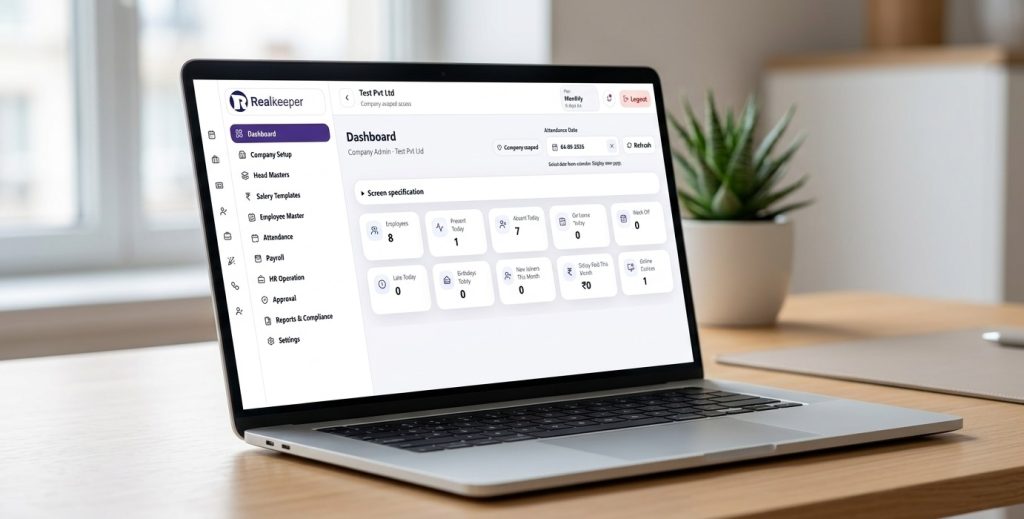
Accounting Software for Small Business: 7 Features to Check
Every GST cycle starts the same scramble: you match invoices against a bank statement in a spreadsheet, hunt for the one missing expense, and hope the stock sheet agrees with both. Accounting software for small business ends that scramble by keeping invoices, stock, expenses, and reports in one place, where they agree with each other. Here are the seven features to check before you pay for anything.
In This Guide
- What Is Accounting Software for Small Business?
- Why Do Small Businesses Outgrow Spreadsheets for Accounting?
- What Are the 7 Smart Features to Check in Accounting Software for Small Business?
- How Is Accounting Software Different From Spreadsheets?
- What Should a Clean Month-End Look Like?
- How Do You Choose Accounting Software for Your Business?
- Is RealKeeper a Good Accounting Software for Small Business?
- Frequently Asked Questions
- What’s the Next Step?
What Is Accounting Software for Small Business?
Accounting software for small business records your sales, purchases, stock, expenses, and payments in one system, then turns them into GST invoices and financial reports. It replaces the pile of spreadsheets that only one person understands.
RealKeeper Technologies Pvt. Ltd., a Delhi-based company, builds a cloud ERP that combines GST billing, accounting, inventory, CRM, and manufacturing for small Indian businesses.
Why Do Small Businesses Outgrow Spreadsheets for Accounting?
Because accounting is really four things at once: billing, stock, expenses, and tax. A spreadsheet can hold any one of them. It can’t make all four agree.
Picture a trading business sending 200 invoices a month. The accountant asks for customer-wise balances, then stock value, then the GST summary. Each answer comes from a different file, and each file was last updated on a different day.
Add the official GST portal and its deadlines on top, and a small error in one sheet becomes a late return.
What Are the 7 Smart Features to Check in Accounting Software for Small Business?
Check these seven before you buy. They separate real accounting software from an invoice printer.
1. GST Billing With E-Invoice and E-Way Bill Support
Accounting starts at the invoice. Your software should apply the GST rate you set up for each item, and it should handle e-invoices and e-way bills, where they apply to your business, without a second tool.
Know what these are before you shop. E-invoices are reported to the government’s Invoice Registration Portal, and e-way bills are generated on the e-way bill portal. E-invoicing is mandatory only for notified taxpayers, so check whether it applies to you.
Keep return filing separate in your head. Generating an e-invoice isn’t the same as filing GSTR-1 or GSTR-3B. The GST portal’s help page explains that e-invoice details reported to the IRP are auto-populated into GSTR-1, but filing the return is a separate step, and software may or may not support it directly.
RealKeeper’s GST billing page lists GST invoices, e-invoices, and e-way bills, and says GST is calculated from the tax rates you configure.
2. Inventory That Keeps Your Books Honest
If you sell goods, stock and accounts must agree. Every sale should reduce stock, and every purchase should add to it.
RealKeeper keeps inventory and stock management in the same system as billing, sales, and purchases.
3. Expense and Payment Tracking
Profit isn’t revenue minus guesswork. You need expenses recorded with a date and category, and a clear view of who still owes you.
RealKeeper describes managing invoices, estimates, payments, expenses, inventory, and customers in one app, and its payment collection feature adds reminders. In the trial, check how you categorise an expense.
4. Financial Reports You Can Actually Read
A good system produces a profit and loss statement, balance sheet, trial balance, cash flow, ledger, and day book without exporting anything.
RealKeeper’s website lists exactly these, plus GST reports and other MIS reports, under Financial Reports. Open the profit and loss from sample data and ask whether your accountant would recognise it.
5. Sales, Purchases, Customers, and Suppliers in One Place
Your accountant asks for customer-wise and supplier-wise balances more often than anything else. Those should come from one screen, not three files.
RealKeeper’s feature list includes sales and purchase management and customer and supplier management.
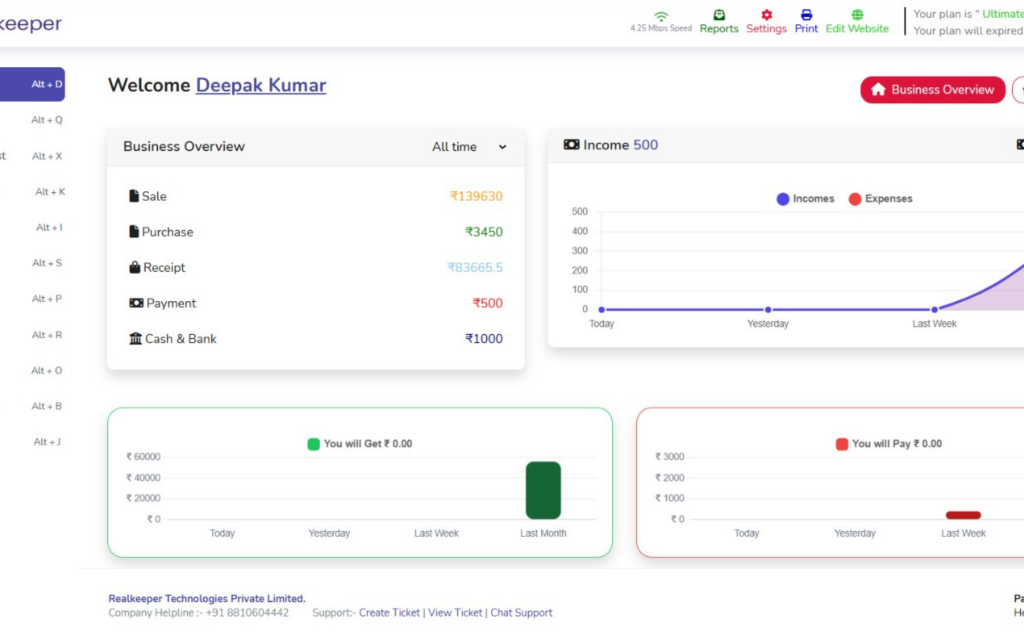
RealKeeper’s dashboard shows sales, purchases, receipts, and payments in one business overview.
6. Cloud and Mobile Access
You shouldn’t need the office computer to send an invoice or check what a customer owes. Cloud software runs on a phone, tablet, or laptop.
RealKeeper is cloud-based, with an Android app and web access. Its cloud ERP page explains how access works.
7. Setup, Training, and Support That Respond
Accounting software fails quietly when nobody on your team learns it. Look for free training, a real trial, and support that answers while the problem is still fresh.
RealKeeper offers a free 7-day trial with no credit card, free training, and free chat support that says it replies within 30 seconds. It also says general billing can go live in about five minutes. Treat both as claims to test during your trial.
See it with your own invoices.
Start RealKeeper’s 7-day free trial (no credit card required), or book a demo on WhatsApp and ask to see the profit and loss report.
How Is Accounting Software Different From Spreadsheets?
Here’s the day-to-day difference, side by side. Exact behaviour depends on the software, your plan, and how you set it up.
| Area | Spreadsheets | Accounting software, once set up |
| GST on invoices | Calculated and typed by hand | Calculated from the tax rates you configure |
| E-invoice and e-way bill | Separate portal steps, details retyped | Supported from the invoice, if the software offers it and the rules apply to you |
| Stock | Updated by hand, often late | Moves with each sale and purchase once items are linked |
| Expenses | Receipts in a drawer | Recorded by date and category |
| Reports | Built at month-end, by hand | Drawn from the data you’ve already entered |
| Access | One person’s laptop | Phone, tablet, or computer with cloud software |
What Should a Clean Month-End Look Like?
This is the real test of any accounting software for small business. A tidy close takes an afternoon, not a weekend:
- Every invoice for the month is raised, with GST applied.
- Stock on screen matches what’s on the shelf.
- Expenses are recorded with a date and category.
- Outstanding payments are listed by customer.
- The profit and loss and GST reports open without any exporting.
If your current process can’t do all five without a spreadsheet, that’s your shopping list.
How Do You Choose Accounting Software for Your Business?
Choose by your daily workflow, not the longest feature list. Before you buy, check:
- Does it handle GST invoices, plus e-invoices and e-way bills if they apply to you?
- Does stock update when you bill?
- Can you record expenses and track payments due?
- Does it produce profit and loss, balance sheet, and GST reports?
- Does it work properly on a phone?
- How many users does the plan allow, and what does renewal cost?
- Is there a free trial and support that actually answers?
Renewal cost deserves its own question, because year one and year two are often priced differently. Ask for the second-year price before you sign.
Then test it. Enter ten real invoices and five real expenses, and open the profit and loss report. If the numbers match your own, you’re on the right track.
If you’re also weighing TallyPrime, Busy, Vyapar, or Zoho Books, RealKeeper has a comparison page. Read it with a critical eye, since it’s the vendor’s own.
Who needs accounting software the most?
Small businesses where one person handles billing, stock, and follow-ups, usually the owner or a single accountant. If you’ve registered as an MSME on the free Udyam portal, that describes you, and the weekend reconciliation is probably what you want to end. RealKeeper also has a page on accounting software for SMEs.
Is RealKeeper a Good Accounting Software for Small Business?
As accounting software for small business, RealKeeper covers the everyday core: GST billing, inventory, sales and purchases, payment collection, and financial reports, in one cloud system with an Android app.
As listed on RealKeeper’s pricing page in October 2026, Basic costs ₹5,000 for the first year plus 18% GST, for two users and general billing. Advance (₹9,000) adds WhatsApp CRM, and Ultimate (₹18,000, five users) adds e-commerce and MSME manufacturing. Renewals are listed at ₹3,500, ₹4,500, and ₹12,000, and you can compare the plans side by side. Prices change, so confirm the final amount before you pay.
Whatever you pick, confirm bank reconciliation, direct GST return filing, and TDS handling in a demo if your accountant relies on them. They aren’t listed on RealKeeper’s homepage, pricing, or GST billing pages, so ask to see each one live.
Frequently Asked Questions
What is the best accounting software for small business?
The best accounting software for small business is the one that covers your actual needs: GST billing, stock, expenses, readable reports, and a renewal price you can live with. RealKeeper is one option. Compare it with two or three others through free trials.
Do small businesses need accounting software, or is Excel enough?
Excel is fine for a handful of invoices a month. It starts failing once GST, stock, and expenses all need to agree with each other, because every number is typed by hand and nobody reconciles the files.
What features should accounting software for small business have?
At minimum: GST invoices (with e-invoice and e-way bill support if they apply to you), inventory linked to billing, expense and payment tracking, financial reports like profit and loss and balance sheet, cloud or mobile access, and real support during setup.
How much does accounting software cost in India?
Prices vary by vendor and users. RealKeeper’s three main plans are listed at ₹5,000 to ₹18,000 for the first year plus 18% GST, with renewals listed at ₹3,500 to ₹12,000. Always compare the second-year price, not just the first.
Can I try accounting software before buying it?
Most vendors offer a trial. RealKeeper gives a free 7-day trial with no credit card required. Use it to enter about ten real invoices and five real expenses, then open the profit and loss report.
What’s the Next Step?
Pick your last ten invoices and enter them into a trial, then open the reports. If the books match what you already know, you’ve found a fit.
Ready to try it on your own numbers? Start your 7-day free trial (no credit card required), or book a demo on WhatsApp. More at realkeeper. in.


