
Making sales is an important part of running a business, but receiving payments on time is equally important. Many businesses sell products or services on credit and allow customers to pay after a specific period. While this can help build customer relationships and increase sales opportunities, delayed payments can create challenges for everyday business operations.
When customers do not pay on time, businesses may struggle to manage supplier payments, employee salaries, operating expenses, and future purchases. Tracking unpaid invoices through spreadsheets, registers, and manual follow-ups can also consume valuable time.
This is where Accounts Receivable Management Software becomes useful. It helps businesses organize customer invoices, monitor outstanding amounts, track payment status, and manage collection activities through a centralized system.
With a more structured payment collection process, businesses can reduce repetitive administrative work, improve financial visibility, and make better decisions about their cash flow.
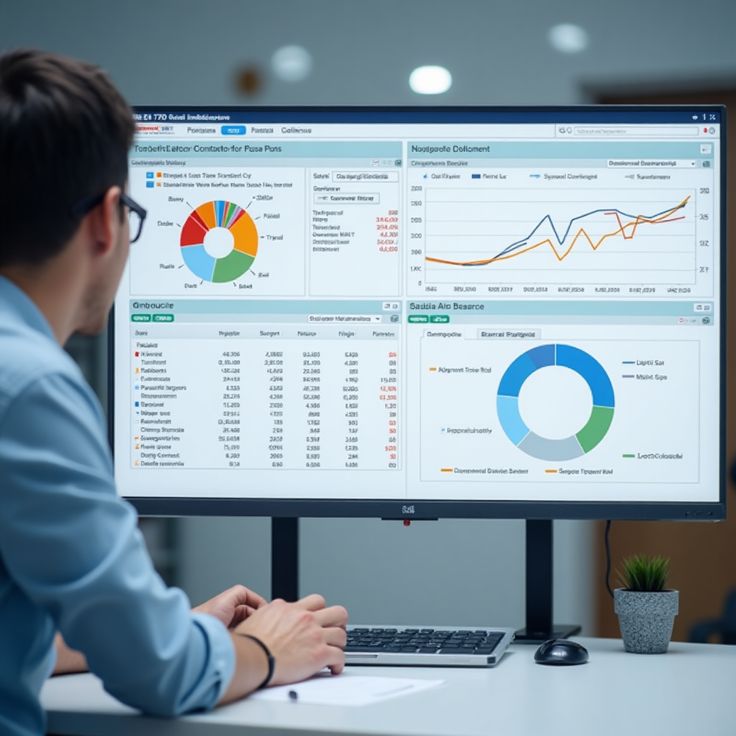
What Is Accounts Receivable Management Software?
Accounts receivable refers to the money a business is owed by customers for products or services already provided, where payment is still pending.
Accounts Receivable Management Software is a digital solution that helps businesses manage these pending payments, track invoices, monitor customer balances, and organize payment follow-ups.
Instead of checking multiple registers or spreadsheets, businesses can maintain their receivables information in one place.
Common capabilities include:
- Customer invoice management
- Outstanding payment tracking
- Invoice due-date monitoring
- Payment status updates
- Customer account management
- Payment reminders and follow-ups
- Receivables reporting
- Integration with billing and accounting
The goal is to make payment collection more organized and give business owners a clearer picture of how much money is pending, which invoices need attention, and what payments have already been received.
Why Do Businesses Need Accounts Receivable Management Software?
Delayed payments can affect businesses of different sizes, from small retailers and wholesalers to manufacturers and service providers.
Consider a business that sells products worth ₹2,00,000 to customers on credit. If customers pay late, the business may have to wait for that money while still paying suppliers, employees, rent, electricity bills, and other expenses.
Without accurate records, it may also become difficult to identify which customers have overdue invoices or which payments require follow-up.
A structured receivables process helps businesses:
- Maintain accurate customer payment records
- Identify overdue invoices
- Prioritize collection follow-ups
- Reduce repetitive manual work
- Monitor pending and received amounts
- Improve cash flow planning
- Make informed credit and sales decisions
Effective receivables management combines accurate invoicing, timely follow-ups, clear payment terms, and consistent monitoring.
7 Powerful Benefits of Accounts Receivable Management Software
1. Track Outstanding Invoices in One Place
One of the biggest challenges in payment collection is knowing exactly how much money customers owe the business.
When invoices are maintained across different spreadsheets, accounting files, and paper records, it can take time to calculate the total outstanding amount.
Accounts Receivable Management Software helps centralize invoice information so businesses can review pending payments without searching through multiple records.
Depending on the system, businesses can organize information such as:
- Invoice number
- Customer name
- Invoice date
- Due date
- Invoice amount
- Amount received
- Remaining balance
- Payment status
For example, if a customer has three unpaid invoices, the business can review those transactions together and understand the total outstanding balance.
This improves visibility and helps teams identify which invoices need attention first.
2. Reduce Delays with Timely Payment Reminders
Following up on pending payments is an essential but repetitive business activity. Employees may need to call customers, send messages, and check previous conversations to determine whether a payment has been made.
These manual activities can become difficult to manage as the customer base grows.
Accounts Receivable Management Software can help organize payment reminders and follow-up activities so businesses can communicate with customers at appropriate times.
A practical reminder process may include:
- Sending a reminder before the due date
- Following up when an invoice becomes overdue
- Sharing the outstanding invoice details
- Recording payment updates
- Confirming when the balance is cleared
RealKeeper supports payment reminders and helps businesses track unpaid bills, making collection follow-ups easier to organize.
Timely and professional reminders can reduce forgotten payments and help maintain consistent communication with customers. However, reminders cannot guarantee that every customer will pay on time.
3. Improve Business Cash Flow Visibility
Cash flow represents the movement of money into and out of a business. Even a business with strong sales can experience financial pressure if customer payments arrive later than expected.
For example, a manufacturer may need to purchase raw materials before receiving payment from distributors. If outstanding invoices are not monitored properly, the business may find it difficult to plan upcoming expenses.
Accounts Receivable Management Software helps businesses understand how much customer payment is pending and which invoices are expected to be settled.
This information can support decisions about:
- Supplier payments
- Upcoming purchases
- Operating expenses
- Working capital requirements
- Customer credit limits
- Short-term financial planning
When receivables information is connected with accounting and payment records, business owners can make planning decisions with better visibility into their financial position.
4. Reduce Manual Follow-Up Work
Manual payment collection often involves repetitive tasks, such as checking invoice dates, calculating balances, searching for customer details, and sending follow-up messages.
When these activities are handled separately, employees may spend considerable time maintaining records instead of focusing on other important responsibilities.
A centralized Accounts Receivable Management Software solution can reduce this workload by organizing invoices, payment statuses, and customer information.
For example, instead of preparing a fresh list of pending invoices every day, a business can use its existing records to identify outstanding amounts and prioritize follow-ups.
This can help teams:
- Spend less time searching for records
- Avoid duplicate follow-ups
- Maintain organized payment histories
- Identify overdue invoices more easily
- Improve coordination between sales and accounts teams
The result is a more structured collection process with fewer repetitive administrative tasks.
5. Maintain Better Customer Payment Records
Every customer may have a different purchasing pattern and payment history. Some customers pay before the due date, while others regularly require reminders.
Maintaining accurate customer-level records helps businesses understand these patterns and manage credit sales more carefully.
Accounts Receivable Management Software can help organize customer details alongside invoices, outstanding balances, and payment transactions.
This information can help businesses answer important questions:
- Which invoices are still unpaid?
- How much does a particular customer owe?
- Which payments have already been received?
- Has a previous invoice been settled?
- Which accounts require additional follow-up?
Having these details readily available can reduce confusion during payment discussions and help businesses communicate using accurate transaction information.
It can also support more consistent credit policies when deciding whether to extend additional credit to a customer.
6. Improve Billing and Accounting Accuracy
Payment collection starts with accurate invoices and continues with proper recording of received amounts.
If invoice values, customer details, payment entries, or outstanding balances are incorrect, the collection process can become confusing. These errors may also lead to unnecessary disputes or repeated communication.
Accounts Receivable Management Software works more effectively when connected with billing and accounting processes.
An integrated workflow can look like this:
Create Invoice → Share Invoice → Track Payment → Update Balance → Review Reports
This helps businesses maintain a clearer relationship between sales transactions and customer payments.
RealKeeper provides GST billing, invoicing, accounting, customer management, and payment collection features within its broader business management platform.
When these activities are managed through a connected system, businesses can reduce duplicate data entry and maintain more organized financial records.
7. Generate Useful Receivables Reports
Business owners need more than a list of unpaid invoices. They also need to understand overall collection performance and identify potential payment risks.
Receivables reports can help businesses review outstanding balances, overdue invoices, customer payment patterns, and collection progress.
Depending on the software, useful reports may include:
- Outstanding invoice reports
- Customer balance reports
- Overdue payment reports
- Payment collection summaries
- Invoice ageing reports
- Received and pending payment summaries
An invoice ageing report groups outstanding invoices according to how long they have remained unpaid. For example, businesses may review invoices that are current, 1–30 days overdue, 31–60 days overdue, or more than 60 days overdue.
This helps management identify older outstanding amounts that may require additional attention.
With better reporting, businesses can prioritize follow-ups, review credit practices, and make more informed financial decisions.
How Accounts Receivable Management Software Helps Different Businesses
Payment collection requirements vary according to the type of business. However, maintaining accurate receivables records is important across many industries.
Manufacturers
Manufacturers often sell goods to distributors, wholesalers, and business customers on credit. They need to track invoices, payment commitments, outstanding balances, and incoming payments while managing production expenses and supplier obligations.
Wholesalers and Distributors
Wholesalers may process numerous customer orders and invoices. Centralized receivables records help them monitor customer balances and organize payment follow-ups.
Retail Businesses
Retailers that offer credit sales can use digital records to monitor pending customer payments and maintain transaction histories.
Service Providers
Agencies, consultants, maintenance providers, and other service businesses may issue invoices after completing work. Receivables management helps them track unpaid bills and organize follow-ups.
Small and Medium-Sized Businesses
Smaller businesses may not have a dedicated collections team. A centralized system can help owners and employees manage payment information without depending entirely on manual registers.
Accounts Receivable Management Software vs. Manual Tracking
Manual methods may work when transaction volumes are limited, but maintaining records becomes more demanding as the business grows.
| Manual Tracking | Digital Receivables Management |
|---|---|
| Separate spreadsheets and registers | Centralized payment records |
| Manual invoice checking | Easier invoice status review |
| Repetitive payment follow-ups | Organized reminders and follow-ups |
| Time-consuming balance calculations | Structured outstanding records |
| Limited consolidated reporting | Better receivables visibility |
| Difficult customer-level tracking | Organized customer payment history |
The actual benefits depend on the software’s features, the accuracy of business records, and how consistently employees use the system.
What Features Should You Look for in Accounts Receivable Management Software?
Before choosing a solution, businesses should evaluate whether it supports their daily billing and collection requirements.
Important features include:
Invoice Management
- Create and maintain customer invoices
- Track invoice dates and due dates
- Review invoice payment status
- Maintain transaction details
Payment Tracking
- Record received payments
- Monitor outstanding balances
- Review customer account histories
- Identify unpaid invoices
Payment Reminders
- Organize follow-up schedules
- Send reminders through supported communication channels
- Share invoice information with customers
- Record collection updates
Reporting and Analysis
- Review outstanding amounts
- Monitor overdue invoices
- Generate payment summaries
- Analyze customer receivables
Accounting Integration
- Connect billing and accounting records
- Reduce duplicate entries
- Maintain organized customer ledgers
- Review financial information alongside payment data
Ease of Use
- Simple navigation
- Convenient access to records
- Support for multiple users where required
- Cloud access if needed by the business
The right software should fit your existing workflow, customer volume, reporting needs, and accounting processes.
How RealKeeper Helps Businesses Manage Payment Collection
RealKeeper offers a payment collection solution designed to help businesses organize invoices, follow up on pending payments, monitor collections, and maintain better visibility into outstanding receivables.
Its payment collection page highlights several practical benefits:
Organized Receivables: Keep invoice details, customer information, payment status, and outstanding amounts organized.
Payment Reminders: Send timely reminders to help reduce avoidable payment delays and keep follow-ups consistent.
Less Manual Work: Reduce dependence on repetitive calls, messages, and spreadsheets when managing collections.
Payment Visibility: Review what has been paid, what remains pending, and which invoices need attention.
Better Business Decisions: Use payment information and reports to understand collection activity and support financial planning.
RealKeeper also offers billing, accounting, customer management, and broader ERP capabilities. Connecting these functions can help businesses manage payment collection alongside other daily operations.
Explore the RealKeeper Payment Collection Software page to learn more about its features and request a demo.
Best Practices for Improving Payment Collection
Software can organize the process, but businesses also need consistent payment policies and communication practices.
Consider these practical steps:
- Set clear payment terms: Communicate due dates and accepted payment methods before completing a sale.
- Send invoices promptly: Ensure customers receive accurate invoices without unnecessary delays.
- Review outstanding invoices regularly: Check pending balances instead of waiting until the end of the month.
- Follow up professionally: Use polite reminders that include the invoice number, amount, and due date.
- Investigate payment disputes: Resolve incorrect invoice details or other concerns promptly.
- Monitor overdue accounts: Give appropriate attention to older outstanding invoices.
- Review collection reports: Identify recurring delays and improve internal payment policies.
Combining these practices with suitable Accounts Receivable Management Software can help businesses establish a more reliable collection process.
Final Thoughts
Timely payment collection is essential for maintaining financial stability and managing everyday business expenses. When customer invoices remain unpaid, businesses may face cash flow pressure even when their sales activity is strong.
Accounts Receivable Management Software helps businesses organize outstanding invoices, monitor customer balances, manage payment reminders, reduce manual follow-up work, and gain better visibility into receivables.
By connecting invoice management with payment tracking, accounting, and reporting, businesses can build a more structured process for managing the money customers owe them.
RealKeeper supports payment collection alongside billing, accounting, customer management, and other business operations, helping businesses manage receivables through a connected platform.
For businesses looking to improve payment visibility and reduce the effort involved in chasing outstanding invoices, a consistent collection process supported by the right software can be an important step toward better cash flow management.


