
Introduction
Imagine a potential customer sends your business a WhatsApp message asking about your product. Your sales team replies, but later forgets to follow up.
Another customer contacts a different employee, and the conversation stays on that employee’s phone. Before long, important leads are scattered across personal chats, spreadsheets, and notebooks.
This is where CRM with WhatsApp Integration can make a major difference.
By bringing WhatsApp conversations and customer information into one centralized system, businesses can manage leads, automate routine communication, track follow-ups, and give customers faster responses.
In 2026, when customers expect quick and personalized communication, combining CRM and WhatsApp can become a powerful part of a modern sales strategy.
What Is CRM with WhatsApp Integration?
A CRM (Customer Relationship Management) system helps businesses manage customer information, leads, sales activities, follow-ups, and interactions.
For a detailed explanation of CRM and how businesses use it to manage customer relationships, see this CRM guide from Salesforce
CRM with WhatsApp Integration connects these CRM capabilities with WhatsApp so businesses can manage customer conversations from a centralized platform.
Instead of switching between WhatsApp and a separate CRM, your team can potentially:
- Capture leads from WhatsApp
- Store customer information
- Track conversations
- Assign leads to sales representatives
- Schedule follow-ups
- Send automated messages
- Monitor sales activities
- Maintain customer communication history
For example, a customer may ask about the price of a product through WhatsApp. The sales representative can respond while the CRM records the interaction and creates a follow-up task.
This makes the entire customer journey easier to manage.
How Does CRM with WhatsApp Integration Work?
Want to learn more about how CRM with WhatsApp Integration can help your business boost sales? Check out our detailed guide on Medium.
The process is relatively straightforward.
A customer starts a conversation with your business on WhatsApp. The integration connects that conversation with your CRM system.
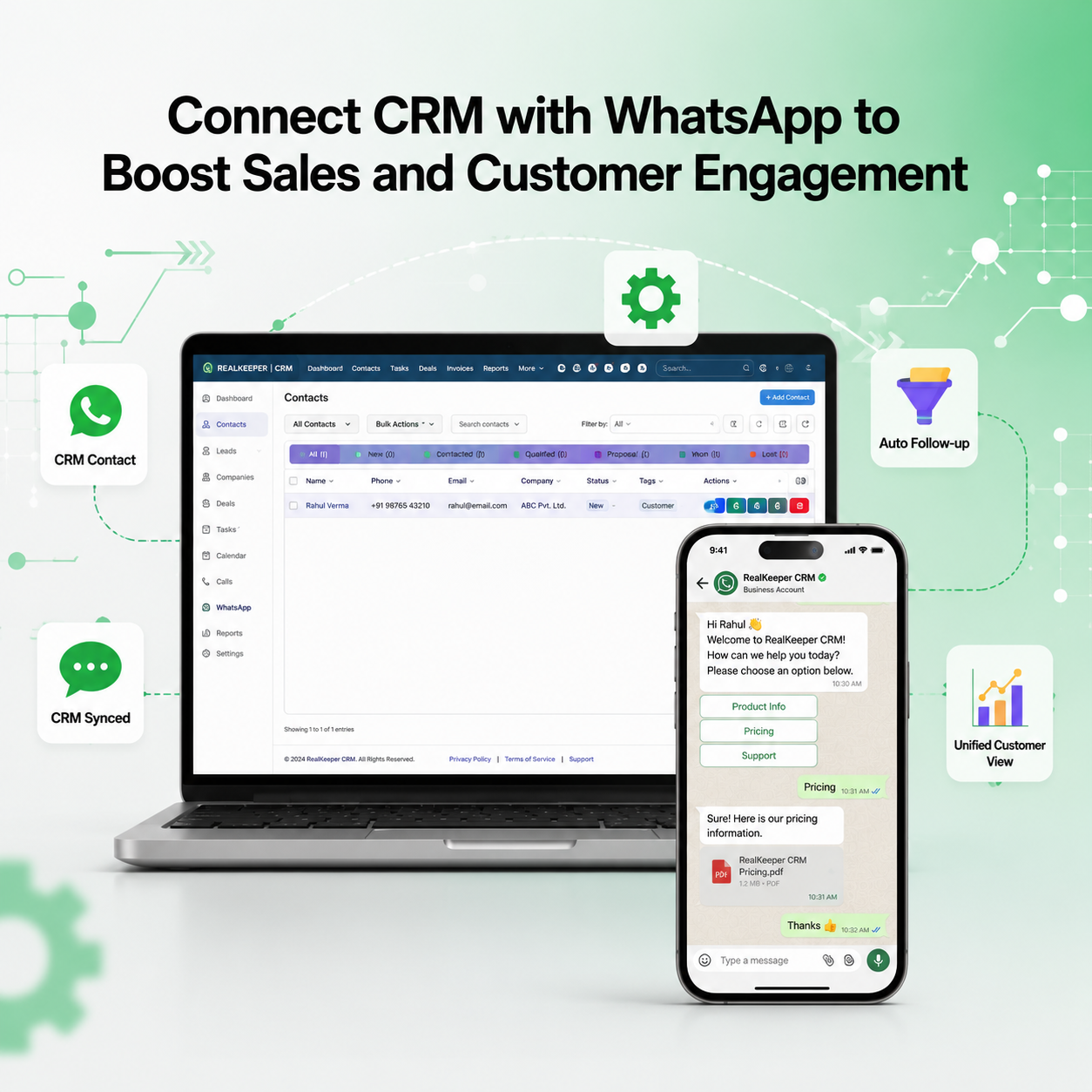
Businesses can connect customer communication workflows with the WhatsApp Business Platform
The CRM can then associate the conversation with an existing customer or create a new lead.
From there, your team can manage the lead according to its sales process.
A typical workflow looks like this:
WhatsApp Message → Lead Capture → Customer Profile → Sales Assignment → Follow-Up → Conversion → Customer Support
For instance, if someone asks for a quotation, the CRM can help your team record the requirement, assign the lead to a salesperson, set a reminder, and continue the conversation through WhatsApp.
The result is a more organized sales process with fewer missed opportunities.
7 Major Benefits of CRM with WhatsApp Integration
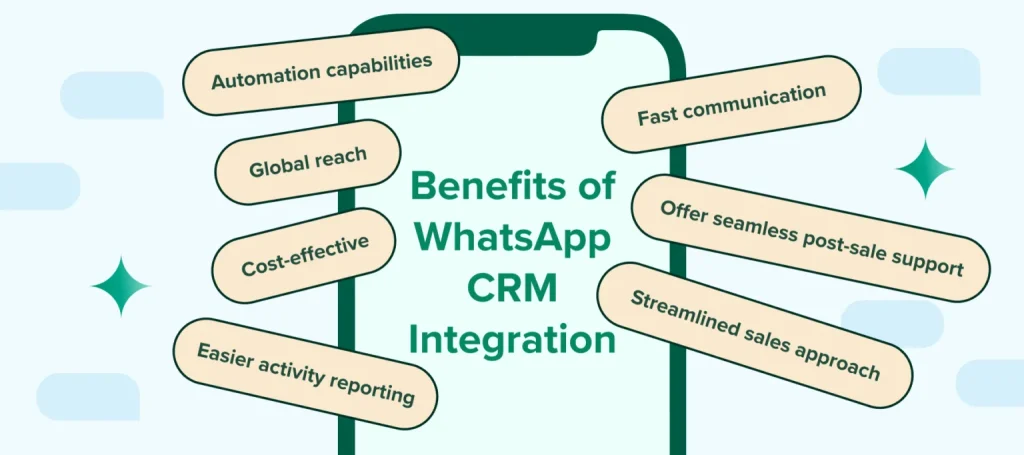
1. Manage Customer Conversations in One Place
One of the biggest challenges businesses face is scattered communication.
A customer may speak with one employee today and another employee tomorrow. Without proper records, the second employee may not know what was discussed previously.
With an integrated CRM, customer conversations and relevant information can be organized around the customer’s profile.
Your team gets better context before responding.
2. Respond to Leads Faster
Speed matters in sales.
When someone shows interest in your product, waiting several hours to respond can reduce the chances of conversion.
WhatsApp makes communication fast, while CRM helps your team organize and prioritize incoming leads.
Sales representatives can identify new inquiries, respond quickly, and move promising prospects through the sales pipeline.
3. Automate Routine WhatsApp Messages
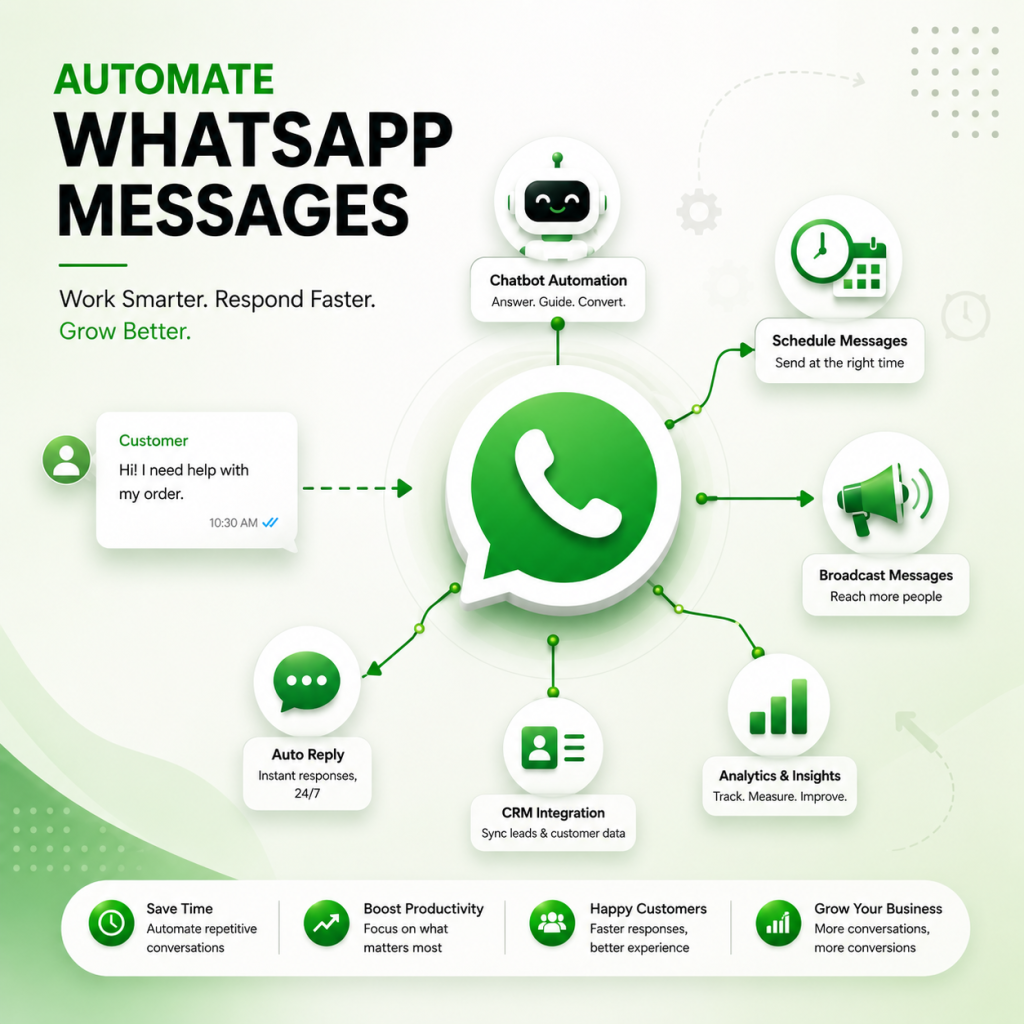
Businesses often send repetitive messages such as:
- Welcome messages
- Appointment confirmations
- Order updates
- Payment reminders
- Follow-up messages
- Feedback requests
- Delivery notifications
Automation can reduce the amount of repetitive work your employees have to perform manually.
Instead of sending the same message to every customer individually, businesses can create predefined workflows where appropriate.
However, automation should still feel useful and relevant. Customers do not want to receive unnecessary promotional messages all day.
4. Never Miss Important Follow-Ups
Following up is one of the most important parts of sales—and one of the easiest things to forget.
Suppose a customer asks for a quotation today but says they need two days to discuss it with their team.
Without a proper system, the salesperson might forget to contact them.
A CRM can help create a follow-up task or reminder.
This turns follow-up from a memory-based activity into a structured sales process.
5. Build a Complete Customer Profile
A good CRM doesn’t just store a phone number.
It can contain information such as:
- Customer name
- Contact details
- Previous conversations
- Purchase history
- Lead source
- Sales stage
- Follow-up dates
- Assigned salesperson
- Notes and requirements
When this information is available alongside WhatsApp communication, employees can provide more personalized service.
6. Improve Team Collaboration
WhatsApp is excellent for communication, but managing business communication through individual employee phones can become complicated.
What happens when a salesperson leaves the company?
Important customer conversations may remain on their device.
A centralized CRM helps businesses maintain customer information within the company’s system and makes it easier for authorized team members to continue handling customer relationships.
This is especially useful for growing sales and support teams.
7. Track Sales Performance
CRM systems can provide valuable insights into sales activities.
Businesses can track metrics such as:
- Number of new leads
- Follow-ups completed
- Leads converted
- Sales pipeline value
- Customer response rates
- Salesperson performance
- Customer acquisition sources
These insights can help managers identify bottlenecks and make better decisions.
Important Features to Look For
Not every CRM and WhatsApp solution offers the same capabilities.
Before choosing a platform, consider features such as:
WhatsApp Conversation Management
The system should make it easy for authorized team members to view and manage customer conversations.
Lead Management
New inquiries should be easy to capture, categorize, assign, and track.
Automated Follow-Ups
Look for workflow features that can help your team schedule reminders and repetitive communication.
Contact Management
Customer information should be organized in searchable profiles.
Sales Pipeline
A visual sales pipeline can help teams understand where each prospect is in the buying journey.
Team Assignment
Leads should be assignable to the appropriate salesperson or department.
Reporting and Analytics
Reports can help businesses understand lead generation, conversions, and team performance.
Notes and Tasks
Salespeople should be able to add customer notes and create tasks without leaving the CRM.
Who Can Benefit From CRM + WhatsApp?
Almost any business that regularly communicates with customers through WhatsApp can benefit from this combination.
E-commerce Businesses
Online businesses can use WhatsApp for order updates, customer questions, payment reminders, and support.
Real Estate
Real estate teams can manage property inquiries, schedule follow-ups, and maintain prospect information.
Education Institutes
Institutes can communicate with students and parents about courses, admissions, fees, and follow-ups.
Service Businesses
Agencies and service providers can use WhatsApp to handle inquiries, quotations, appointments, and customer support.
Small and Medium Businesses
SMBs can benefit particularly because they often manage sales and customer support with small teams.
CRM + WhatsApp vs Traditional CRM
Traditional CRM systems are useful for managing customer data and sales processes, but communication may happen separately through WhatsApp.
This can create unnecessary switching between applications.
A CRM with WhatsApp Integration brings communication closer to the CRM workflow.
| Feature | Traditional CRM | CRM + WhatsApp |
|---|---|---|
| Customer database | Yes | Yes |
| Sales pipeline | Yes | Yes |
| WhatsApp conversations | Usually separate | Integrated |
| Automated WhatsApp communication | Limited/separate | Available depending on solution |
| Follow-up management | Yes | Yes |
| Team collaboration | Yes | Yes |
| Customer communication history | CRM-based | CRM + WhatsApp context |
The exact features depend on the CRM provider and the WhatsApp integration being used.
How to Choose the Right CRM with WhatsApp Integration
Before investing in a solution, don’t simply choose the platform with the longest feature list.
First, understand your actual business requirements.
Ask yourself:
How many leads do we receive every month?
How many employees need access?
Do we need automated follow-ups?
Do we need sales pipeline management?
Do we need reports and analytics?
Will the system integrate with our existing tools?
Is the solution scalable as the business grows?
Also consider usability. A powerful CRM is not very useful if your sales team finds it difficult to operate.
Security, permissions, backups, support, pricing, and compliance should also be evaluated before making a final decision.
Best Practices for Using CRM + WhatsApp
Integration alone doesn’t guarantee better sales.
Your team needs a clear process.
Keep Customer Data Updated
Make sure names, requirements, lead status, and important notes are accurate.
Respond Quickly
Create a process for handling new WhatsApp inquiries so leads don’t remain unanswered.
Use Automation Carefully
Automate repetitive tasks, but avoid sending irrelevant or excessive messages.
Create Follow-Up Rules
Define when salespeople should follow up after an inquiry, quotation, demo, or meeting.
Track Results
Monitor conversion rates and identify which campaigns and communication methods generate quality leads.
Respect Customer Preferences
Businesses should follow applicable WhatsApp, privacy, consent, and messaging requirements when sending communications.
Frequently Asked Questions
1. What is CRM with WhatsApp Integration?
It is a setup that connects a CRM system with WhatsApp, allowing businesses to manage customer conversations, leads, follow-ups, and related information from a more centralized workflow.
2. Can CRM automate WhatsApp messages?
Yes, depending on the CRM and integration, businesses may be able to automate messages such as confirmations, reminders, updates, and follow-ups.
3. Is CRM with WhatsApp useful for small businesses?
Yes. Small businesses can use it to organize leads, reduce manual follow-ups, improve response times, and manage customer communication more efficiently.
4. Can multiple employees manage WhatsApp leads?
Many business-focused solutions support team-based access and lead assignment, although the exact functionality depends on the platform.
5. Does WhatsApp integration improve sales?
It can help improve sales efficiency by reducing missed follow-ups, speeding up communication, and giving sales teams better customer context. However, actual results depend on the sales process, product, team, and implementation.
6. Is CRM better than managing customers through normal WhatsApp?
For a growing business, a CRM can provide structure that ordinary WhatsApp chats alone cannot—particularly for lead tracking, team collaboration, reporting, and follow-ups.
Conclusion
Customer communication has changed significantly, and WhatsApp has become an important channel for businesses that want to stay connected with their customers.
But simply using WhatsApp isn’t enough when the number of leads and conversations starts growing.
CRM with WhatsApp Integration brings customer communication, lead management, sales activities, and follow-ups into a more organized workflow.
From faster responses and automated communication to better team collaboration and sales tracking, the right integration can help businesses save time and create a smoother customer experience.
The key is to choose a solution that matches your business requirements rather than selecting one simply because it has more features.
If your business is already receiving customer inquiries through WhatsApp, integrating those conversations with your CRM could be the next step toward creating a more organized, scalable, and customer-focused sales process.


