
Accounting is one of the most important parts of running a successful business. Every business, whether it is a small retail shop, wholesale company, manufacturing unit, or service provider, needs accurate financial records to manage income, expenses, sales, purchases, taxes, and profits.
However, many businesses still depend on traditional accounting methods such as paper registers, handwritten entries, spreadsheets, and manual calculations. Although these methods may work for businesses with very few transactions, they can become difficult to manage as a business grows.
In 2026, technology is changing how businesses manage their financial operations. Modern accounting systems help businesses automate repetitive tasks, generate financial reports, manage GST records, track payments, and maintain accounting information more efficiently.
This creates an important question: Automated Accounting Software : Which Is Better in 2026?
In this guide, we will compare both methods, explore their advantages and disadvantages, understand their differences, and explain why businesses are increasingly adopting automated accounting solutions.
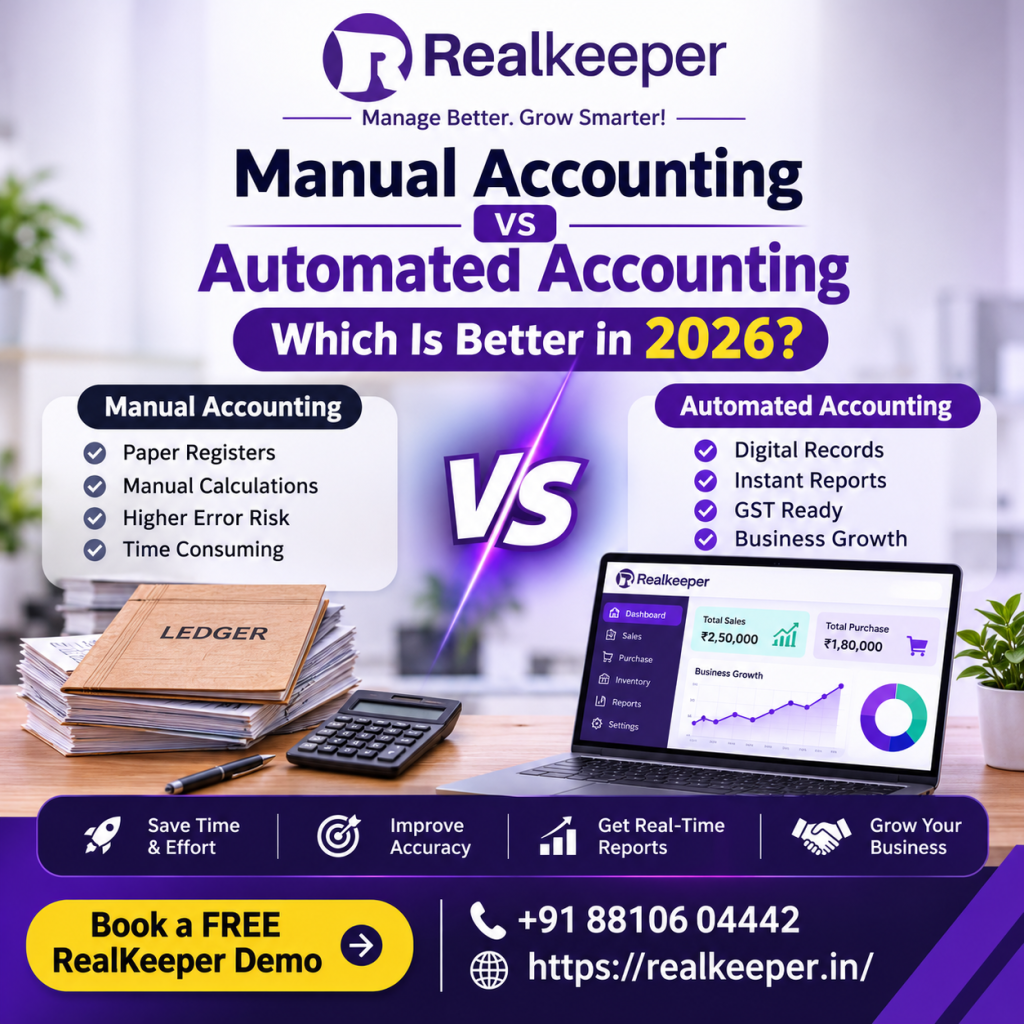
What Is Manual Accounting?
Manual accounting is a traditional method of maintaining financial records without specialised accounting automation software. Businesses use physical registers, notebooks, spreadsheets, calculators, and other manual tools to record financial transactions.
Under this method, business owners or accountants manually enter sales, purchases, expenses, payments, receipts, and other financial activities.
For example, when a retailer sells products to a customer, the transaction may be recorded in a physical sales register or spreadsheet. The accountant then calculates totals, updates payment records, and prepares financial statements manually.
Common Features of Manual Accounting
- Recording transactions in physical registers.
- Manually calculating sales and purchase totals.
- Maintaining separate expense and income records.
- Preparing financial statements manually.
- Tracking outstanding payments through spreadsheets.
- Calculating taxes and reconciling accounts manually.
Advantages of Manual Accounting
1. Low Initial Investment
Manual accounting does not always require specialised software or paid subscriptions. Small businesses with very limited transactions can start using basic registers and spreadsheets.
2. Simple for Very Small Operations
Businesses with only a few daily transactions may find manual bookkeeping relatively easy to understand and maintain.
3. No Software Training Required
Employees familiar with traditional bookkeeping can continue using existing methods without learning a new accounting platform.
Disadvantages of Manual Accounting
Despite its simplicity, manual accounting has several limitations:
- Human errors can occur during calculations and data entry.
- Finding old financial records can take considerable time.
- Preparing reports requires additional manual effort.
- Tracking outstanding payments becomes difficult.
- Managing GST information can be complicated.
- Physical records can be damaged, misplaced, or lost.
- Managing multiple business locations becomes challenging.
As transaction volumes increase, these limitations can affect productivity and financial accuracy.
What Is Automated Accounting?
Automated accounting is the process of using digital technology and accounting automation software to manage financial activities with less repetitive manual work.
Instead of recording every transaction in physical registers, businesses use software to maintain digital financial records, generate reports, manage invoices, track payments, and organise accounting information.
An automated accounting system helps reduce repetitive tasks and makes financial information easier to access.
For example, when a business creates a sales invoice using accounting software, the system can record the relevant transaction and update connected accounting records according to its configuration.
Similarly, businesses can use software to manage purchases, expenses, GST-related information, customer balances, supplier payments, and financial reports.
Important Features of Automated Accounting Software
- Digital invoice generation.
- Sales and purchase management.
- Expense tracking.
- Customer and supplier account management.
- GST-related accounting records.
- Financial reporting.
- Payment tracking.
- Inventory and stock management.
- Automated calculations.
- Digital record management.
The exact features depend on the accounting platform and its configuration.
Manual Accounting vs Automated Accounting: Key Differences
Understanding the differences between both methods can help business owners choose the right accounting approach.
| Comparison | Manual Accounting | Automated Accounting |
|---|---|---|
| Data Entry | Mostly manual | Digital entry and supported automation |
| Calculations | Manual calculations | Software-assisted calculations |
| Record Keeping | Registers and spreadsheets | Digital records |
| Invoice Generation | Manual preparation | Software-generated invoices |
| Financial Reports | Prepared manually | Reports generated through software |
| Error Management | Greater risk of calculation errors | Reduces many repetitive calculation errors |
| Data Access | Depends on physical records | Available through authorised digital access |
| GST Management | More manual effort | Software-supported GST records |
| Scalability | Difficult as transactions grow | Better suited to growing operations |
| Time Management | More repetitive work | Less repetitive administrative work |
The biggest difference is how financial information is recorded, processed, organised, and accessed.
Manual accounting depends heavily on human effort, whereas automated accounting uses software to streamline repetitive financial activities.
7 Reasons Why Automated Accounting Is Better for Growing Businesses in 2026
Businesses are increasingly adopting digital accounting solutions because they need faster access to financial information and better control over daily operations.
Here are seven important reasons why automated accounting can be a better option.
1. Saves Time and Reduces Repetitive Work
One of the biggest disadvantages of manual accounting is the time required to maintain financial records.
Accountants may spend hours recording transactions, calculating totals, preparing invoices, and updating payment records.
Accounting automation software helps simplify these activities by providing digital tools for recording transactions, generating invoices, and organising financial information.
This allows employees to spend less time on repetitive bookkeeping and more time on important business activities.
2. Improves Financial Accuracy
Manual calculations and repeated data entry increase the possibility of human errors.
For example, entering an incorrect amount, calculating totals incorrectly, or recording a payment under the wrong account can create problems in financial records.
Automated accounting systems use configured calculation rules to reduce many common calculation errors.
However, software does not eliminate every risk. Incorrect entries, wrong tax configurations, and inaccurate source information can still produce incorrect reports.
Therefore, businesses should regularly review their accounting records.
3. Simplifies GST Accounting and Record Management
GST compliance is an important responsibility for many Indian businesses.
Managing invoices, tax details, sales records, purchase records, and reconciliations manually can become complicated, especially when transaction volumes increase.
GST accounting software can help businesses organise relevant transaction details and maintain digital records.
Depending on the software, businesses may also get features that support GST-related reporting and reconciliation workflows.
Businesses should still verify tax calculations, applicable rules, filing requirements, and records before submitting GST returns.
4. Provides Faster Financial Reports
Business owners need financial information to make important decisions.
They may want to understand:
- How much revenue did the business generate?
- What are the total operating expenses?
- Which customers have outstanding payments?
- How much money is payable to suppliers?
- What is the current financial position?
Preparing these reports manually can consume significant time.
Automated accounting software can generate reports from recorded transactions, helping business owners review financial information more efficiently.
5. Makes Invoice and Payment Management Easier
Late payments can affect business cash flow.
Without an organised payment tracking system, businesses may struggle to identify unpaid invoices, pending customer payments, and supplier dues.
Digital accounting systems can help maintain customer accounts, supplier records, invoice details, and payment information.
Some platforms also provide payment reminders or other receivables management features.
This makes it easier for businesses to follow up on outstanding payments.
6. Supports Business Growth
A business that manages 10 transactions daily has different accounting requirements from a company handling hundreds of transactions.
As operations expand, maintaining records through spreadsheets and registers can become increasingly difficult.
Automated accounting solutions provide a more organised way to handle growing transaction volumes.
Businesses can also explore integrated solutions that connect accounting with inventory, sales, purchasing, manufacturing, and other operational activities.
7. Improves Data Organisation and Accessibility
Physical registers and scattered spreadsheets make financial information difficult to organise.
Digital accounting platforms maintain structured records that authorised users can access according to the software’s permissions and deployment model.
This improves record retrieval and can support better coordination between business owners, accountants, and finance teams.
Businesses should also evaluate backup policies, access controls, security features, and data protection practices before selecting a platform.
Is Manual Accounting Still Useful in 2026?
Yes. Manual accounting is not completely outdated.
It may still be suitable for very small businesses, freelancers, or individuals who handle only a limited number of financial transactions.
For example, a small home-based business with a few monthly sales may not need a complex accounting platform immediately.
However, manual accounting becomes less practical when a business starts handling:
- Multiple customers and suppliers.
- Regular sales and purchase transactions.
- Large numbers of invoices.
- GST-related records.
- Inventory and warehouse operations.
- Employee expenses and payments.
- Multiple branches or departments.
At this stage, moving towards accounting automation can improve efficiency and financial record management.
The right decision depends on business size, transaction volume, budget, compliance requirements, and operational complexity.
How to Choose the Right Accounting Software for Your Business
Selecting accounting software is an important business decision. Not every accounting platform provides the same features, integrations, or level of support.
Before purchasing a solution, consider these factors.
1. Understand Your Business Requirements
Identify what your business needs to manage.
For example, a retailer may prioritise billing and inventory management, while a manufacturing company may need production records, raw material tracking, purchasing, and accounting integration.
2. Check Essential Accounting Features
Look for features such as:
- Sales and purchase management.
- Invoice generation.
- Expense tracking.
- Customer and supplier management.
- GST-related accounting.
- Financial reports.
- Payment tracking.
3. Evaluate Ease of Use
Accounting software should be easy for your employees and accountants to understand.
A complicated interface can increase training time and reduce adoption.
4. Check Data Security and Backup
Financial records contain important business information.
Check user permissions, backup facilities, data protection measures, and recovery options before choosing software.
5. Compare Pricing and Support
Compare subscription or licensing costs, implementation requirements, available support, and future upgrade expenses.
Do not select software only because it is cheap. Evaluate whether its features actually solve your business problems.
How RealKeeper Helps Businesses Simplify Accounting
Managing accounting, inventory, sales, purchases, and daily business operations through disconnected systems can create unnecessary complexity.
RealKeeper provides business software solutions designed to help businesses organise their accounting and operational activities.
Depending on the selected product and configuration, businesses can use RealKeeper to manage important activities such as:
Accounting Management
Maintain organised financial records and manage business accounting activities through digital workflows.
Sales and Purchase Management
Manage sales and purchase transactions while keeping relevant business records organised.
Inventory Management
Monitor stock-related information and improve visibility into inventory operations.
Manufacturing Management
Support manufacturing-related business workflows, including the management of production and material information where available in the selected solution.
Business Reporting
Access relevant business and financial information to support operational monitoring and decision-making.
Instead of relying entirely on registers and disconnected spreadsheets, businesses can explore a more organised digital approach with RealKeeper.
To understand which features are suitable for your business, request a product demonstration and discuss your specific requirements with the RealKeeper team.
Conclusion: Manual Accounting vs Automated Accounting – Which Is Better?
When comparing manual accounting vs automated accounting in 2026, the right choice depends on your business requirements.
Manual accounting may work for businesses with very few transactions and simple financial activities. However, as a business grows, maintaining records manually can become time-consuming and difficult to manage.
Automated accounting offers advantages such as faster record management, software-assisted calculations, digital invoicing, organised financial reports, and better support for growing operations.
For retailers, wholesalers, manufacturers, and growing companies, adopting accounting automation can be a practical step towards improving operational efficiency.
The goal is not simply to replace paper registers with software. It is to build a more organised accounting process that supports better business decisions.
Ready to simplify your business accounting? Explore RealKeeper and discover how the right business software can help you manage your operations more efficiently.
Frequently Asked Questions (FAQs)
1. What is the difference between manual accounting and automated accounting?
Manual accounting involves recording and calculating financial transactions using registers, spreadsheets, and manual processes. Automated accounting uses software to record, organise, calculate, and report financial information with less repetitive manual work.
2. Is automated accounting better than manual accounting?
Automated accounting is generally more suitable for businesses with regular or growing transaction volumes because it can reduce repetitive work, improve record organisation, and generate reports faster. Manual accounting may still work for very small operations.
3. Can small businesses use automated accounting software?
Yes. Small businesses can use accounting software to manage invoices, sales, purchases, expenses, customer accounts, and financial records more efficiently.
4. How does accounting software help with GST?
GST accounting software can help organise sales and purchase records, maintain tax-related invoice information, and support GST reporting and reconciliation. Businesses should verify all information against applicable GST requirements.
5. Does automated accounting eliminate human errors?
No. Automated accounting can reduce many calculation and repetitive data-entry errors, but incorrect information, wrong configurations, and incorrect entries can still affect financial reports.
6. What features should I look for in business accounting software?
Look for invoicing, sales and purchase management, expense tracking, GST-related features, financial reporting, customer and supplier management, data security, and suitable customer support.
7. Why should businesses choose RealKeeper?
RealKeeper offers business software solutions that help businesses manage accounting and operational workflows. Businesses can explore its available features through a free product demonstration.
8. How can I get a RealKeeper demo?
Visit https://realkeeper.in/ or contact the RealKeeper team at +91 88106 04442 to enquire about booking a free demo.