
Picture a job that comes back with 80 rejected pieces out of 1,000. Nobody writes it down, so the next quote uses the same margin. Manufacturing scrap tracking software logs every reject, offcut, and wasted kilo against the job that caused it, so you can see where money leaks instead of guessing.
What Is Manufacturing Scrap Tracking Software?
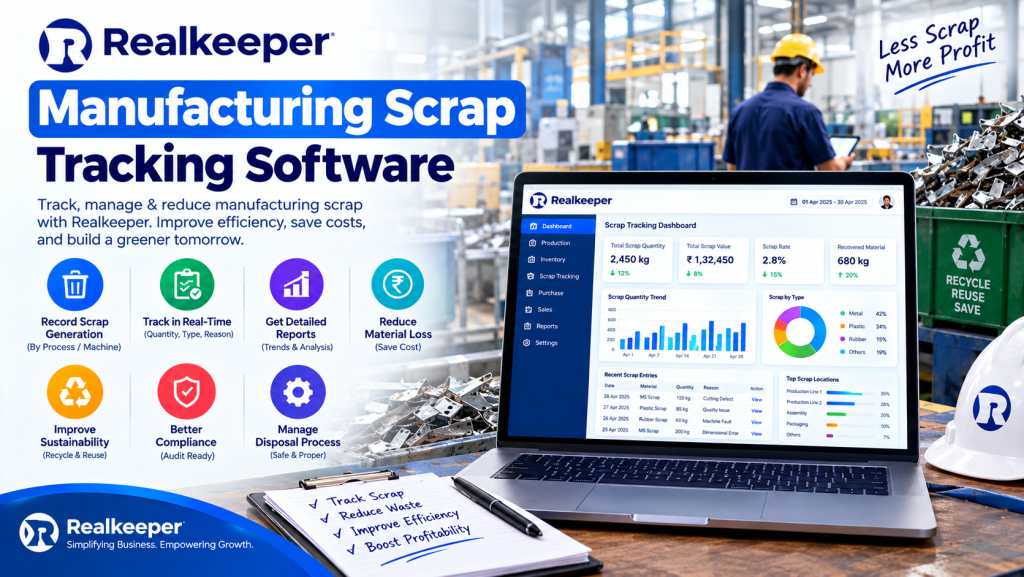
Manufacturing scrap tracking software records every piece of material that doesn’t become a sellable product (offcuts, rejects, startup waste, and rework) and ties it to the job, the material, and the cost. It turns “we lose some material” into a number you can act on.
RealKeeper Technologies, based in Delhi, builds a cloud manufacturing ERP with scrap management and production cost tracking, aimed at small Indian manufacturers.
Why Does Scrap Cost More Than You Think?
Because scrap isn’t only wasted material. It also carries the labour, machine time, and power you spent making it.
Two terms help here. Gross scrap cost is what you spent on the rejected pieces, valued at cost. Net loss is that figure minus whatever you recover by selling the scrap.
Say a job of 1,000 pieces ends with 80 rejects. That’s an 8% scrap rate. If each piece cost ₹120 in material and labour, the gross scrap cost of that job is ₹9,600.
Now repeat it across a month of jobs. Most small manufacturers never add it up, because the figures sit in different notebooks.
Some scrap sells. Offcuts and metal chips go to a dealer, which shrinks the net loss but never erases the gross cost. Selling scrap is still a sale, so confirm the GST treatment for your material with your CA, and check the official GST portal for current rules.
What Does a Month of Scrap Look Like in Rupees?
Here’s an illustrative month with three jobs:
- Job 1: 1,000 pieces, 80 scrapped at ₹120 each, so ₹9,600 gross scrap cost (8% scrap rate).
- Job 2: 500 pieces, 15 scrapped at ₹200 each, so ₹3,000 gross scrap cost (3%).
- Job 3: 2,000 pieces, 60 scrapped at ₹45 each, so ₹2,700 gross scrap cost (3%).
The month’s gross scrap cost is ₹15,300, valued at cost before any recovery. Say a dealer pays ₹2,000 for the scrap. The net loss is then ₹13,300.
Either way, Job 1 accounts for 63% of the gross figure. Without manufacturing scrap tracking software, all three jobs just look like “some wastage,” and Job 1 gets quoted the same way next time.
What Are the 7 Powerful Features of Manufacturing Scrap Tracking Software?
Look for these seven. They separate real scrap tracking from a column in a spreadsheet.
1. Scrap Is Logged Against the Job
Scrap recorded in a separate register can’t be traced back to anything. Logged against the work order, it tells you which job and which product produced it.
RealKeeper’s manufacturing ERP lists scrap management alongside production cost tracking and subcontracting. How a scrap entry attaches to a job is worth seeing in a demo.
2. You See Planned vs. Actual Wastage
Your bill of materials assumes some wastage. Good manufacturing scrap tracking software shows that allowance next to what actually happened. Say you planned 3% and got 9%. That gap is what’s worth investigating, not the total.
RealKeeper’s bill of materials can carry scrap information, so the planned allowance has a home. In a demo, check how the actual figure is recorded and compared.
3. Scrap Gets a Rupee Value
A kilo count is hard to act on. A rupee figure isn’t. The software should multiply scrap by material cost, so ₹9,600 of gross scrap cost shows up as ₹9,600. Ask whether it can also record what you recover from selling scrap, so net loss is visible too.
RealKeeper lists production cost tracking in its manufacturing module. Ask to see where scrap shows up in that cost.
4. Raw Material Stock Updates Itself
Scrapped material has left your shelf. If stock still counts it, you’ll think you have more than you do and run short mid-job.
The software should remove it from stock as it’s logged. RealKeeper tracks stock movement and stock adjustments, so confirm in your trial how a scrap entry affects the count.
5. Job-Work Scrap Doesn’t Disappear
When cutting or plating goes to an outside worker, scrap happens there too, and it’s easy to lose. Subcontracting tracking records what you sent, what came back finished, and what’s missing.
RealKeeper’s manufacturing ERP includes subcontracting management for this kind of job work.
6. Reports Show Patterns, Not Just Totals
You want scrap by product, by job, and by month. A rising line on one product tells you where to look first.
Ask any vendor to show a scrap report built from sample data before you sign. RealKeeper lists production and inventory reports, so check how scrap appears in them.
7. It Works on the Floor and on Your Phone
Scrap gets logged where it happens or not at all. Cloud software runs on a phone or tablet, so a supervisor can log rejects at the machine instead of from memory once the shift is over.
RealKeeper is cloud-based and works on a phone, tablet, or computer.
| See scrap logged on your own jobs.Start RealKeeper’s 7-day free trial (no credit card required), or book a demo on WhatsApp and ask to see scrap management on a real job. |
How Is Manufacturing Scrap Tracking Software Different From a Paper Register?
Here’s the day-to-day difference, side by side:
| Area | Paper register | Manufacturing scrap tracking software |
| When scrap is recorded | End of shift, from memory | At the moment it happens |
| Link to a job | Rarely written down | Logged against the job |
| Cost of scrap | Unknown | Shown as a rupee figure |
| Stock impact | Corrected at the next stock-take | Updated as scrap is logged |
| Spotting trends | Months of adding up pages | A monthly report by product |
| Job-work losses | Found at month-end | Visible when the batch returns |
How Do You Choose Manufacturing Scrap Tracking Software?
Choose the tool that ties scrap to jobs and costs, not one that only keeps a list. Before you buy, check:
- Can scrap be logged against a specific job or work order?
- Does it show planned versus actual wastage?
- Does it put a rupee value on scrap?
- Does it update raw material stock?
- Can it track scrap on job-work sent outside?
- Does it work on a phone?
Then run one real job through a trial. Log some rejects, and see whether the report tells you something you didn’t already know.
Who Needs It Most?
Owner-run MSMEs, the kind registered on the free Udyam portal, where the owner or a supervisor is the only quality department. Without one, scrap goes unmeasured, and what goes unmeasured keeps repeating.
Where Should You Start Tracking Scrap?
Don’t try to measure everything on day one. Start small:
- Pick your three highest-volume products.
- Log scrap against each job for 30 days.
- Compare the actual wastage with what your bill of materials allows.
- Fix the single biggest gap first, then move to the next.
One month of honest numbers will teach you more than a year of estimates.
Can RealKeeper Work as Manufacturing Scrap Tracking Software?
For small manufacturers, yes, with limits. RealKeeper’s manufacturing billing software includes scrap management alongside bills of materials, production cost tracking, purchase requisitions, and subcontracting.
The manufacturing features sit on the Ultimate plan: ₹18,000 for the first year plus 18% GST (its pricing page lists ₹12,000 from the next year), for five users, with general billing, WhatsApp CRM, and an e-commerce site included. The Basic and Advance plans (₹5,000 and ₹9,000 in the first year) cover general billing, and Advance adds WhatsApp CRM. You can compare the plans before choosing.
What RealKeeper’s public pages don’t describe is machine-connected scrap capture or reason-code analysis of rejects. Quality Control appears as a stage in its production workflow, so ask the team how rejects are recorded there. A large plant with sensors on every line will want something heavier. A small unit logging rejects by hand usually won’t.
Invoices for your finished goods come from the same data through its GST billing software.
Frequently Asked Questions
What is manufacturing scrap tracking software?
Manufacturing scrap tracking software records every offcut, reject, and wasted unit against the job that caused it, then shows what that scrap cost. It replaces paper registers that can’t link waste to a job or a rupee figure.
How do you calculate scrap rate in manufacturing?
Scrap rate is scrapped units divided by total units produced, multiplied by 100. If 80 of 1,000 pieces are rejected, the scrap rate is 8%. Multiply the scrapped units by the cost per piece to get the gross scrap cost.
Is scrap tracking worth it for a small manufacturer?
Yes, whenever material is a large share of your cost. In the example above, one job with 80 rejects had a gross scrap cost of ₹9,600. A few jobs like that each month add up faster than most owners expect.
Does RealKeeper have scrap management?
RealKeeper’s manufacturing module includes scrap management, production cost tracking, bills of materials, and subcontracting, available on the Ultimate plan. Its public pages don’t describe machine-connected scrap capture or reason-code analysis, so test your own scrap workflow during the free trial.
Can I try it first, and what does it cost?
RealKeeper offers a free 7-day trial with no credit card. Its pricing page lists first-year plans from ₹5,000 to ₹18,000 plus 18% GST, with renewals listed at ₹3,500 to ₹12,000. The manufacturing features are on the Ultimate plan: ₹18,000 in year one, ₹12,000 from the next.
What’s the Next Step?
Take your last three jobs and enter them into a trial, scrap included. See which one cost the most.
| Ready to see where your scrap goes? Start your 7-day free trial (no credit card required), or book a demo on WhatsApp. More at realkeeper. in. |


