
Every business needs a clear understanding of its financial performance to grow sustainably. From tracking revenue and expenses to monitoring cash flow, outstanding payments, and profitability, financial information plays an essential role in everyday business decisions. However, when financial records are scattered across spreadsheets, invoices, accounting files, and different applications, understanding the complete financial position of a business becomes difficult.
This is where Financial Reporting Software becomes valuable. It helps businesses organize financial data, generate meaningful reports, monitor financial performance, and make informed decisions based on accurate information.
For small businesses, manufacturers, wholesalers, retailers, and growing enterprises, preparing financial reports manually can consume valuable time and increase the possibility of errors. Business owners may struggle to identify rising expenses, understand changing profit margins, monitor payments, or plan future investments without timely financial information.
With the right financial reporting solution, businesses can bring important financial information together and review it through structured reports. This makes it easier to understand business performance, identify potential problems, and plan the next steps with greater confidence.
RealKeeper helps businesses connect accounting and financial reporting with billing, inventory, sales, purchases, and other business operations. This integrated approach supports better financial visibility and helps businesses manage their daily activities more efficiently.
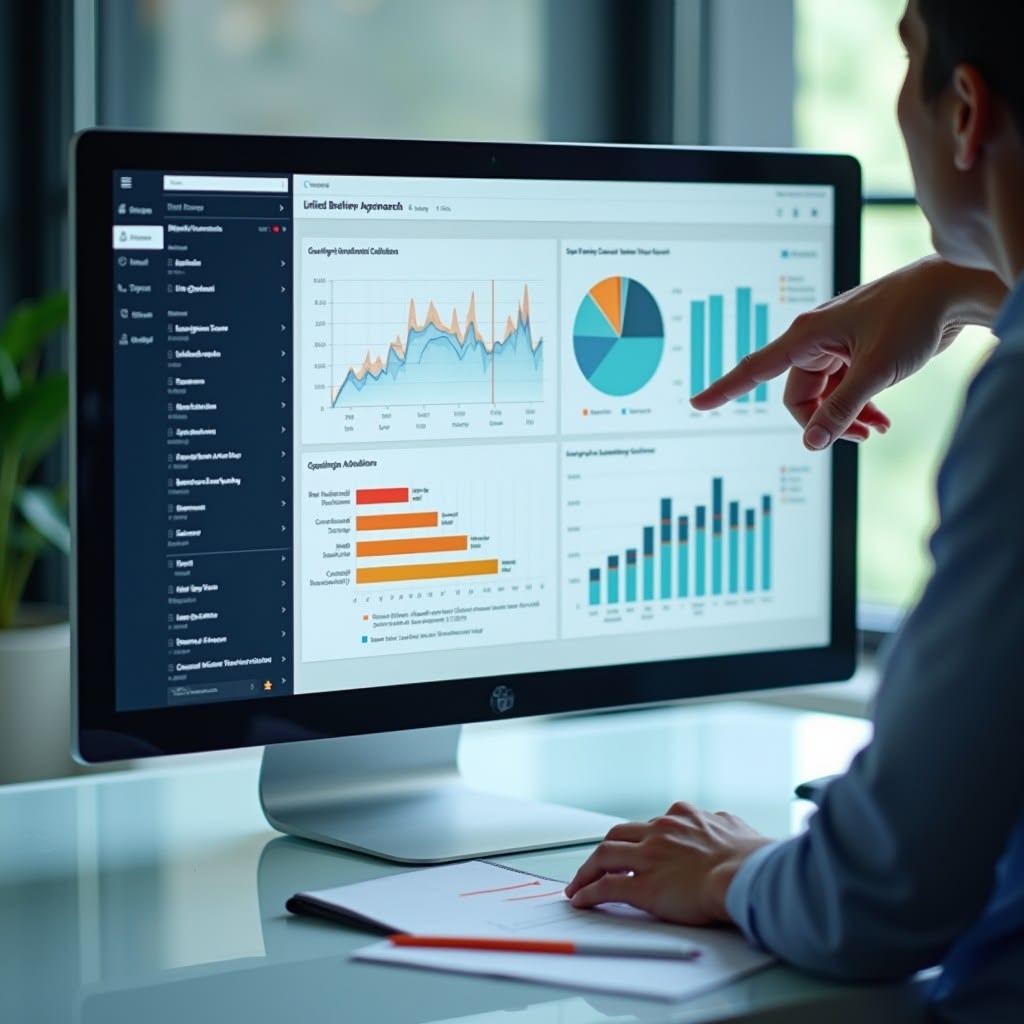
What Is Financial Reporting Software?
Financial Reporting Software is a digital solution that helps businesses organize financial information and generate reports related to income, expenses, assets, liabilities, cash flow, and overall financial performance.
Instead of manually collecting information from multiple records, businesses can use financial reporting tools to prepare and review important reports from their accounting data. Depending on the software and its configuration, these reports may include Profit and Loss statements, Balance Sheets, Trial Balances, Cash Flow reports, General Ledgers, Day Books, GST reports, and management information reports.
These reports provide different perspectives on a business’s financial condition.
For example, a Profit and Loss statement helps business owners understand income and expenses over a particular period. A Balance Sheet presents the financial position at a specific date, while cash flow reporting helps monitor the movement of money into and out of the business.
A well-organized financial reporting system makes this information easier to access, review, and understand.
The main purpose of financial reporting is not simply to produce documents. It is to help business owners understand what is happening financially, identify areas that need attention, and make decisions using reliable business information.
Why Businesses Need Financial Reporting Software
As businesses grow, the volume of financial transactions also increases. Sales invoices, purchase bills, operating expenses, customer payments, supplier payments, and other transactions create large amounts of financial data.
Managing this information manually can become challenging, particularly when different departments maintain separate records.
Businesses may experience problems such as:
- Time-consuming reporting: Employees spend considerable time collecting and organizing financial information.
- Scattered records: Financial data is spread across spreadsheets, invoices, accounting files, and separate applications.
- Limited financial visibility: Owners may find it difficult to understand profitability, expenses, and cash flow.
- Delayed decision-making: Important financial information may not be available when a business decision is required.
- Inconsistent calculations: Repeated manual data entry can introduce errors and discrepancies.
- Difficulty comparing performance: Reviewing financial results across different periods may require additional work.
- Unclear payment positions: Businesses may struggle to monitor customer receivables and supplier obligations efficiently.
Financial Reporting Software helps address these challenges by organizing financial data into structured reports. It can reduce repetitive reporting tasks and make important financial information easier to review.
For growing businesses, this improved visibility can support better expense management, more informed purchasing decisions, stronger financial planning, and more effective business management.
Important Financial Reports Every Business Should Monitor
Different financial reports help answer different business questions. Understanding these reports allows business owners to evaluate financial performance more effectively.
Profit and Loss Statement
A Profit and Loss statement shows a business’s income, expenses, and resulting profit or loss over a selected period.
It helps business owners understand whether the business is generating sufficient income to cover its costs and whether profitability is improving over time.
For example, a company may experience an increase in sales but also face higher purchasing costs, salaries, transportation expenses, or other operating costs. Reviewing the Profit and Loss statement helps management understand whether the additional revenue is translating into better profitability.
With Financial Reporting Software, businesses can organize financial information and review income and expenses without repeatedly preparing calculations from separate records.
Balance Sheet
A Balance Sheet presents the financial position of a business at a particular date. It generally includes assets, liabilities, and equity.
Assets may include cash, bank balances, inventory, equipment, and amounts receivable from customers. Liabilities may include supplier dues, loans, and other financial obligations.
This report helps business owners understand what the business owns, what it owes, and how its resources are financed.
A business may have significant inventory and outstanding customer invoices but limited available cash. Reviewing the Balance Sheet alongside cash flow information can help management understand why a strong asset position does not always mean immediate liquidity.
Cash Flow Report
Cash flow reporting helps businesses monitor money entering and leaving the business.
Even a profitable company can face cash shortages when customers delay payments or expenses become due before expected collections arrive.
Cash flow information helps business owners review incoming payments, outgoing expenses, and the availability of funds for upcoming obligations.
For example, a manufacturer may need to pay suppliers for raw materials before receiving payment from customers. Monitoring cash flow helps management plan these payments more carefully.
Financial reporting tools can support better cash flow visibility when transactions and payment records are maintained accurately.
Trial Balance
A Trial Balance lists account balances and helps accountants review the structure of accounting records.
It is useful for checking whether total debit balances agree with total credit balances and identifying entries that may require investigation.
However, a balanced Trial Balance does not automatically mean that every transaction is accurate or correctly classified. Accountants must still review the underlying records and reconcile relevant balances.
General Ledger and Day Book
A General Ledger provides transaction details for individual accounts, while a Day Book organizes recorded transactions by date.
These reports help businesses investigate expenses, review customer or supplier transactions, and trace accounting entries when questions arise.
For example, if an expense appears higher than expected, the accounting team can review the relevant ledger to identify the transactions contributing to that amount.
GST and Management Reports
Businesses in India may also need GST-related reports to organize tax-related transactions and support their accounting and compliance processes.
Management Information System (MIS) reports provide summaries of business activity that help managers review performance and operational trends.
The exact reports required depend on the business, its accounting practices, and its statutory obligations. Businesses should verify that their selected software supports the reports and compliance requirements relevant to their operations.
How Financial Reporting Software Supports Smarter Business Decisions
Financial reports become more valuable when businesses use them to answer practical questions and guide everyday decisions.
Understand Business Profitability
Revenue alone does not show whether a business is financially successful.
A company may generate higher sales while also experiencing increasing expenses, reduced margins, or rising operating costs. Reviewing income and expenses together helps management understand the overall effect on profitability.
Financial Reporting Software helps organize financial information so business owners can assess results, identify trends, and investigate areas that need attention.
This can support more informed decisions about pricing, operating costs, purchasing, and future growth.
Identify and Control Rising Expenses
Expenses can increase gradually without being noticed when financial records are reviewed infrequently.
Regular reporting allows businesses to compare expenses across periods and identify unusual changes.
For example, a retailer may notice an increase in transportation costs, while a manufacturing company may discover that raw material expenses are rising faster than sales.
These insights can help management investigate the reasons, review supplier arrangements, and evaluate opportunities to control unnecessary spending.
Improve Cash Flow Planning
Cash flow is essential for maintaining daily business operations.
Businesses need sufficient funds to pay salaries, purchase materials, settle supplier invoices, cover rent, and manage other operating expenses.
Financial reports help owners review cash movements and understand the relationship between recorded revenue and actual collections.
When reporting is connected with payment tracking, businesses can plan collections and payments more effectively and reduce the risk of overlooking important obligations.
Make Better Purchasing Decisions
Purchasing decisions affect inventory levels, working capital, and profitability.
Financial information can help businesses review purchasing expenses, supplier payments, and spending patterns. When financial reporting is connected with purchasing and inventory records, management gains a clearer understanding of how purchasing decisions affect business finances.
For example, a distributor may use purchasing and financial information to review supplier costs, while a manufacturer may evaluate raw material expenses alongside production requirements.
This supports better coordination between purchasing, inventory management, and accounting.
Monitor Business Performance Over Time
A single report provides only a snapshot of performance. Comparing financial reports across months, quarters, or financial years helps businesses identify meaningful changes.
Managers can review whether revenue is increasing, expenses are under control, profit margins are changing, or cash flow is becoming more difficult to manage.
Consistent reporting helps business owners identify patterns and determine whether they need to adjust their business plans.
Support Better Budgeting and Financial Planning
Businesses need realistic financial plans to manage resources and prepare for future expenses.
Historical financial reports provide useful information about previous revenue, costs, spending patterns, and financial obligations. This information can support budgeting and help businesses estimate future requirements.
Although historical data cannot predict every future development, it provides a useful starting point for setting budgets and evaluating different business scenarios.
Financial Reporting Software vs. Manual Reporting
Many businesses initially rely on spreadsheets, handwritten records, and manually prepared accounting summaries. These methods may be sufficient for limited transactions, but they can become increasingly difficult to manage as business operations expand.
| Area | Manual reporting | Financial reporting software |
|---|---|---|
| Report preparation | Often requires repeated data collection | Can generate supported reports from recorded data |
| Financial visibility | Depends on the frequency of manual updates | Makes organized financial information easier to review |
| Calculations | Repeated calculations can introduce errors | Reduces some repetitive calculation work |
| Performance comparison | May require additional spreadsheet preparation | Makes period-wise comparisons easier where supported |
| Record management | Information may be spread across different files | Can centralize financial records and reports |
| Decision-making | May rely on delayed financial summaries | Supports decisions with more accessible information |
Financial reporting software does not eliminate every accounting error. Report quality still depends on accurate transaction entries, appropriate account classifications, reconciliations, and regular reviews.
However, the right solution can reduce repetitive work and help businesses maintain a more organized financial reporting process.
Key Features to Look for in Financial Reporting Software
Choosing the right solution requires more than checking whether it can generate a Profit and Loss statement. Businesses should consider whether the software supports their actual reporting requirements.
Integrated Accounting Records
Financial reports should be connected to the underlying accounting records. This makes it easier to trace account balances, investigate transactions, and review financial information.
Multiple Financial Reports
Look for the reports your business needs, such as Profit and Loss, Balance Sheet, Trial Balance, Cash Flow, Ledger, Day Book, GST reports, and management reports.
Sales and Purchase Integration
Connecting sales and purchase transactions with accounting can reduce duplicate data entry and improve the consistency of financial records.
Expense and Payment Tracking
Expense records, customer collections, supplier payments, and outstanding balances provide important context for financial reporting.
Inventory Integration
For retailers, wholesalers, distributors, and manufacturers, inventory is closely connected with purchasing costs, stock valuation, and business performance.
Integrating inventory with accounting can help reduce information gaps between operational and financial records.
Flexible Reporting Periods
Businesses should be able to review financial reports for relevant dates and compare results across periods where supported.
Cloud Access and User Permissions
Cloud-based access can help authorized users work with business information from different locations. User permissions are also important for protecting sensitive financial records.
Ease of Use
Financial reports should be easy to locate, understand, and review. A straightforward interface can help business owners and accounting teams use financial information more consistently.
How RealKeeper Helps Businesses with Financial Reporting
RealKeeper provides cloud-based business management software that connects accounting with billing, inventory, sales, purchases, and other business operations.
Its financial reporting capabilities include Profit and Loss, Balance Sheet, Trial Balance, Cash Flow, Ledger, Day Book, GST, and MIS reports.
This integrated approach is useful because financial reporting depends on the quality and organization of the underlying business records. When accounting is connected with everyday transactions, businesses can manage their financial information within a more organized workflow.
Organized Accounting and Financial Records
RealKeeper helps businesses manage accounting activities and review financial reports based on their recorded transactions.
Organized financial records make it easier for business owners and accounting teams to understand business activity, review balances, and investigate transactions when needed.
Better Visibility into Profit and Loss
Profit and Loss reporting helps businesses understand income and expenses over a selected period.
Regularly reviewing these figures can help management evaluate financial performance, investigate cost increases, and identify areas that may require attention.
Improved Cash Flow Visibility
Managing cash flow requires visibility into incoming and outgoing payments.
Connecting billing, accounting, and payment-related records can help businesses organize customer balances and financial obligations. This information supports better planning for collections, supplier payments, and other operating expenses.
Connected Inventory, Sales, and Purchases
RealKeeper also supports inventory management, sales and purchase management, and manufacturing-related business operations.
For businesses that sell products or manufacture goods, these activities are closely connected to financial performance. A connected platform can reduce the need to maintain completely separate records for each business function.
Support for Growing Businesses
As a business expands, the number of transactions, customers, suppliers, products, and financial obligations often increases.
Financial Reporting Software within a broader business management platform can help businesses maintain organized information as their reporting requirements grow.
RealKeeper’s integrated approach is relevant to manufacturers, wholesalers, retailers, and service businesses that want to manage accounting and other business operations through a connected system.
Financial Reporting Software for Different Industries
Different industries have different financial reporting requirements. Choosing a solution that fits the business model is important.
Manufacturing Businesses
Manufacturers need to monitor purchasing costs, production-related expenses, inventory, sales, and overall profitability.
Financial reporting, when connected with accounting and manufacturing records, can help management understand how operational costs affect business performance.
Wholesalers and Distributors
Wholesalers and distributors manage large volumes of purchases, sales, customer balances, and supplier payments.
Organized financial reporting helps them review expenses, monitor receivables and payables, and understand the financial results of their trading activities.
Retail Businesses
Retailers need to review sales, operating expenses, inventory-related costs, and cash movements.
Financial reports can help owners understand which costs require attention and how daily operations affect profitability.
Service Businesses
Service providers may need to monitor revenue, employee-related expenses, operating costs, outstanding invoices, and customer payments.
Financial reporting helps them review income and expenses and maintain a clearer understanding of their financial position.
Small and Medium-Sized Enterprises
Small and medium-sized businesses often operate with limited accounting resources. A suitable financial reporting system can reduce manual preparation work and make important financial information easier to access.
The most appropriate solution depends on transaction volume, accounting requirements, reporting needs, and the complexity of business operations.
Best Practices for Accurate Financial Reporting
Even the most capable software needs reliable data and consistent accounting practices. Businesses can improve the usefulness of their reports by following these steps.
Record transactions regularly. Enter sales, purchases, expenses, and payments consistently instead of leaving transactions unrecorded for long periods.
Reconcile financial records. Compare accounting records with bank statements and other relevant supporting documents to identify discrepancies.
Use consistent account classifications. Record transactions under appropriate accounts so that reports provide meaningful information.
Review reports periodically. Examine financial performance monthly or at another interval appropriate for the business.
Investigate unusual changes. Review unexpected movements in revenue, expenses, account balances, or cash flow.
Maintain supporting documents. Keep invoices, receipts, payment records, and other relevant documentation organized.
Protect financial information. Use suitable access permissions and security practices to protect sensitive business data.
Consult accounting professionals when needed. Qualified accountants can help with complex accounting treatment, financial statement preparation, and statutory reporting requirements.
These practices help businesses make better use of financial reporting tools while maintaining dependable records.
How to Choose the Right Financial Reporting Software for Your Business
Before selecting a system, identify the financial questions your business needs to answer regularly.
Do you need to monitor profitability? Review cash flow? Track expenses? Understand outstanding customer payments? Prepare GST-related reports? Compare performance across different periods?
Once these requirements are clear, evaluate whether the software offers the necessary reports and whether those reports are connected to reliable accounting records.
Consider the following factors during selection:
- Reporting capabilities: Does the system provide the financial reports your business needs?
- Accounting integration: Are reports connected to recorded financial transactions?
- Operational integration: Can it connect with billing, sales, purchases, and inventory where required?
- Ease of use: Can the relevant team members understand and use the system effectively?
- Data security: Does it provide suitable access controls and data protection?
- Scalability: Can the system support your expected business growth?
- Support and implementation: Is suitable assistance available during setup and ongoing use?
For businesses looking to connect financial reporting with accounting, billing, inventory, and other daily operations, RealKeeper is one solution worth evaluating against these requirements.
The Future of Financial Reporting in Business Management
Financial reporting continues to become more closely connected with everyday business operations.
Businesses increasingly need timely access to financial information rather than relying exclusively on reports prepared after long intervals. Integrated business systems can help organize transaction data and make supported reports easier to review.
Cloud-based systems can also make financial information more accessible to authorized users, depending on the platform and its permissions.
However, technology alone does not guarantee accurate reporting or better decisions. Businesses still need reliable records, appropriate accounting processes, regular reviews, and sound financial judgment.
The most useful financial reporting solution is one that fits the business’s actual requirements and helps its team turn financial information into practical action.
Conclusion
Financial information is most valuable when businesses can understand it and use it to make informed decisions. From monitoring profitability and controlling expenses to improving cash flow planning and evaluating business performance, organized financial reports support better financial management.
Financial Reporting Software helps make this process more manageable by bringing financial information into structured reports and reducing the effort required to compile data manually. Its effectiveness still depends on accurate transaction records, consistent accounting practices, and regular reviews.
RealKeeper connects financial reporting with accounting, billing, inventory, sales, purchases, and other business operations, helping businesses manage financial information through a broader business management platform.
For growing businesses that want better financial visibility, more organized records, and improved control over daily operations, choosing the right financial reporting solution can be an important step toward smarter business decisions and sustainable growth.


